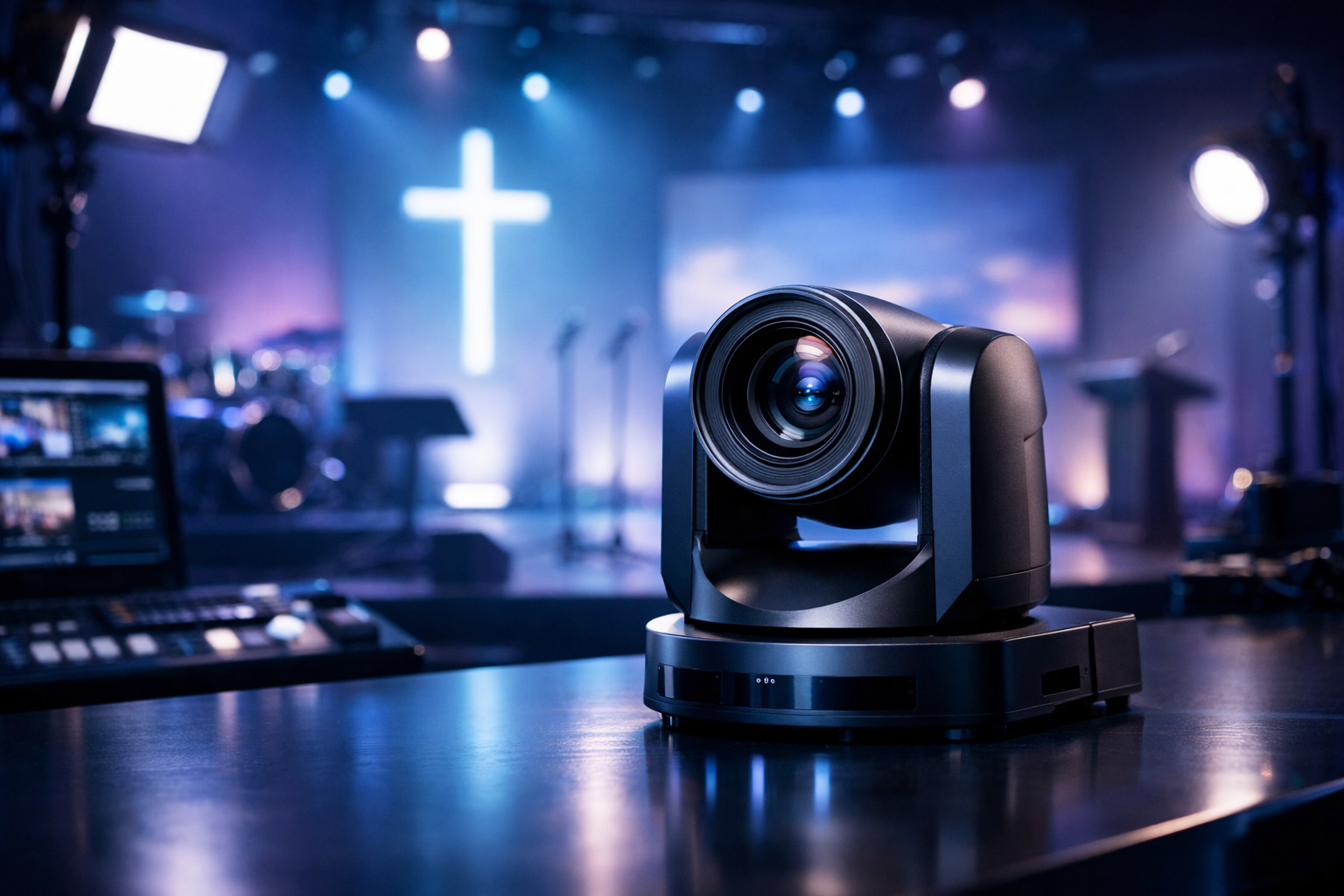
Best PTZ Camera for Church: 2026 In-Depth Review for Live Streaming
A great PTZ camera for church solves a real problem: you need smooth, professional-looking video with minimal volunteers, consistent framing, and reliable connectivity—week after week. In 2026, PTZ cameras are better than ever, but the “best” choice depends on your sanctuary size, lighting, and how you deliver your broadcast.
This review breaks down what matters (zoom, sensors, NDI/SDI/HDMI, PoE, presets, and control), then recommends specific models and complete setups—from budget to pro. We’ll also show an end-to-end workflow that pairs church video with dependable audio distribution using Shoutcast hosting (and why Shoutcast Net’s flat-rate, unlimited model beats Wowza’s expensive per-hour/per-viewer billing).
Quick Picks (2026)
- Best Budget: PTZOptics Move SE (HDMI/IP, great value)
- Best Midrange: BirdDog P-series (NDI + excellent control)
- Best Pro: Panasonic PTZ (broadcast-grade color & tracking options)
Note: model availability changes fast—use this guide to match features to your workflow, not just a brand name.
What to Look for in a PTZ Camera for Church (2026)
Church livestreaming is a unique environment: high-contrast lighting, long distances, quiet moments, and a need for “set it and forget it” reliability. Here’s what actually moves the needle when choosing a PTZ camera for church.
1) Sensor size, low-light performance, and real 1080p/4K quality
If your stage lighting is modest, prioritize a larger sensor and strong low-light processing. Many churches do better with a clean 1080p image than a noisy “4K” feed. Look for solid dynamic range so bright spotlights don’t blow out faces while the background turns into a black hole.
- Best for dim sanctuaries: 1" or 1/1.8" sensors (often midrange/pro tiers)
- Best for mixed lighting: good WDR/HDR modes and manual exposure controls
- Nice-to-have: consistent color science if you mix multiple cameras
2) Optical zoom and field-of-view (FOV)
For most sanctuaries, 20x optical zoom is the sweet spot; larger rooms benefit from 30x. Digital zoom is not a replacement. Also check the wide-angle FOV—you’ll want at least one camera that can capture the full platform.
3) Motion smoothness, speed, and preset accuracy
A PTZ camera is only as good as its ability to repeat movements. In worship services, you’ll use presets constantly (pulpit, lectern, keys, drummer, wide shot). Choose cameras with:
- Accurate presets (repeatable framing, minimal drift)
- Adjustable pan/tilt speed for gentle, broadcast-style moves
- Quiet motors if cameras are mounted near the congregation
4) Outputs: HDMI vs SDI vs NDI vs IP
Your output choice dictates your entire workflow:
- HDMI: simplest, short cable runs; best for single-room small setups
- SDI: long cable runs (100m+), very reliable; great for permanent installs
- NDI: video over network; fewer cables, powerful routing; needs solid network design
- IP/RTSP: flexible monitoring and integration; may add latency depending on decoder
If you want to stream from any device to any device, IP and NDI workflows can be extremely flexible—just plan your network carefully (managed switch, VLANs if needed, and QoS).
5) Power: PoE vs local adapters
PoE (Power over Ethernet) keeps installs clean—one cable for power + control + (sometimes) video. This simplifies ceiling mounts and reduces failure points. If you’re using SDI for video, you may still run PoE for power/control depending on camera features.
6) Control options: joystick, software, and automation
Most churches start with a web UI, then quickly want a tactile joystick. Also consider whether your camera supports:
- VISCA over IP or serial for reliable control
- Stream Deck / companion integration for one-tap presets
- Auto-tracking (useful, but not magic—test in your lighting)
Pro Tip
Before buying, stand at the planned camera mount and measure the distance to the pulpit. Match that distance to optical zoom and wide-angle FOV. This one step prevents the most common regret: cameras that can’t get tight enough without ugly digital zoom.
Top PTZ Cameras for Church Live Streaming: 2026 Picks
Below are 2026-ready PTZ camera recommendations that are commonly used in worship spaces, schools, and live events. These picks focus on what churches actually need: reliable presets, clean video, long-run connectivity, and operator-friendly control.
| Model / Class | Best For | Key Outputs | Notable Strength | Watch Outs |
|---|---|---|---|---|
| PTZOptics Move SE (value) | Small churches, schools, tight budgets | HDMI + IP (varies by model) | Excellent price-to-features, strong presets | Low-light can be limiting in very dim rooms |
| AVer PTZ (TR/PTC series) (midrange) | Teams wanting easy UI + tracking options | HDMI/SDI + IP (model-dependent) | Solid reliability, practical auto-tracking models | Tracking still needs good lighting/placement |
| BirdDog P-series (NDI-focused) | Network-first churches, multi-room routing | NDI + IP (often HDMI too) | Great NDI workflow, sharp image, strong control | Requires robust network (switching + QoS) |
| Canon PTZ (CR series) (image quality) | Churches prioritizing color/skin tones | IP (some models add SDI/HDMI) | Beautiful color science, excellent optics | Costs add up; confirm output needs up front |
| Panasonic PTZ (pro) | Broadcast-grade installs, large sanctuaries | SDI/HDMI/IP/NDI on many models | High-end image + pro integration | Higher price; benefits most when paired with pro switchers |
1) PTZOptics Move SE (Best Budget Value)
PTZOptics’ Move SE line is popular for churches because it delivers the fundamentals: dependable presets, straightforward control, and flexible connectivity for the price. It’s a strong “first serious PTZ” for sanctuaries moving beyond webcams.
Pros
- Great value for permanent installs
- Repeatable presets and controllable motion speeds
- Easy to integrate with common switchers/encoders
Cons
- Low-light performance varies by model and room lighting
- Best results often require manual exposure tuning
2) BirdDog P-series (Best for NDI Workflows)
If your church is ready to go “video-over-network,” BirdDog PTZ cameras can simplify cabling and routing—especially if you’re feeding multiple destinations (sanctuary, overflow room, lobby screens). With NDI, you can move video around your campus without running new SDI lines everywhere.
Pros
- Excellent NDI integration and flexibility
- Clean detail for IMAG and streaming
- Strong remote control options over IP
Cons
- Network design matters (managed switches recommended)
- Troubleshooting is more “IT-like” than HDMI/SDI
3) Panasonic PTZ (Best Pro Upgrade)
Panasonic remains a go-to in higher-end worship production for a reason: consistent color, strong low-light performance in many models, and integration options (including SDI/NDI/IP depending on the unit). If you’re building a multi-camera system meant to last years, this tier is where the “broadcast feel” starts.
Pros
- Broadcast-grade image and color consistency
- Reliable long-run workflows with SDI and/or IP
- Scales well for multi-camera installs
Cons
- Higher upfront cost
- To maximize value, pair with a capable switcher and trained operators
Pro Tip
If you’re comparing brands, test one key scenario: a slow push-in from a wide shot to the pulpit. The best PTZ cameras keep focus, avoid exposure “pumping,” and land presets accurately—those details matter more than spec-sheet marketing.
Best Budget vs Midrange vs Pro PTZ Setups
Instead of buying a single camera in isolation, plan a complete PTZ setup: camera + mounting + cabling + control + switching/encoding. Below are practical tiers that work for churches, DJs, podcasters, and school stations doing live events.
Budget Setup (Single PTZ + Simple Switch/Encode)
Best for small sanctuaries, chapel rooms, school auditoriums, and “one volunteer” teams.
- Camera: PTZOptics Move SE (or comparable HDMI/IP PTZ)
- Video path: HDMI to a capture device or entry switcher
- Control: Web UI + a few presets (wide, pulpit, lectern)
- Audio: feed from your mixer into the encoder (cleaner than camera mics)
This tier can look excellent if you nail your lighting and lock in manual exposure/white balance. It’s also the easiest way to start streaming without redesigning your network.
Midrange Setup (2–3 PTZ Cameras + SDI or NDI + Preset Control)
Best for churches that want consistent multi-angle production without adding multiple camera operators.
- Cameras: mix of AVer/BirdDog/PTZOptics depending on outputs
- Transport: SDI for reliability or NDI for routing flexibility
- Control: hardware joystick controller + Stream Deck preset triggers
- Switching: a dedicated switcher for clean cuts and overlays
Midrange is where you can start building “scenes” (wide worship, sermon, scripture reading) and rotate through them smoothly.
Pro Setup (Multi-PTZ + Tracking + Redundant Paths)
Best for large churches, conference-style worship spaces, and venues that also produce concerts, conferences, and broadcast-style programs.
- Cameras: Panasonic/Canon pro PTZ models with consistent color matching
- Transport: SDI backbone + IP/NDI where it adds real value
- Control: PTZ controller + automation (preset sequences, triggers)
- Resilience: UPS power, backup encoder, tested failover plan
At this level, reliability is a feature. If your stream is part of your ministry’s weekly rhythm, build systems that don’t collapse when a cable goes bad.
Pro Tip
If you can only buy one “upgrade” beyond the camera, buy control (a joystick and preset workflow). A volunteer who can confidently recall presets will outperform a more expensive camera that’s hard to operate.
Control & Connectivity: HDMI/SDI/NDI/IP, PoE, and Presets
Your PTZ camera for church becomes truly powerful when you treat it like a system: signal transport, control, power, and repeatable presets. Here’s how to choose the right workflow for your building and your team.
HDMI: simple and effective (with limits)
HDMI is straightforward: camera → switcher/capture → encoder. It’s ideal when cameras are close to the booth. The limitation is cable length and installation neatness.
SDI: the “just works” choice for permanent installs
SDI is a favorite in churches because it’s stable over long distances and less sensitive to interference. If your booth is far from the platform, SDI often saves hours of troubleshooting.
NDI/IP: flexible routing (when your network is ready)
NDI and IP video shine when you want fewer cables and more routing options—especially across multiple rooms. It also helps if you want to Restream to Facebook, Twitch, YouTube while also feeding in-house displays.
However, network video demands good infrastructure: managed switches, enough bandwidth, and a plan for multicast/unicast where applicable.
PoE: one cable for clean installs
PoE reduces clutter and makes ceiling mounts far easier. If your camera supports PoE+, it’s often worth building around it. A clean install also makes future maintenance simpler for volunteers.
Presets and volunteer-friendly control
For most churches, presets are the whole point of PTZ. Create a preset library that matches your service order:
- Preset 1: Wide platform (safe fallback)
- Preset 2: Pulpit tight
- Preset 3: Lectern
- Preset 4: Worship leader
- Preset 5: Band wide
Latency considerations for live streaming
If you’re doing live interaction (chat moderation, live call-ins, remote guests), aim for very low latency 3 sec workflows where possible. Your end-to-end latency depends on camera transport, encoder settings, CDN/platform, and player buffering. Keep your chain simple and consistent.
Pro Tip
Choose one “primary” transport standard per room (SDI or NDI) and stick to it. Mixing everything (HDMI extenders, random IP decoders, Wi‑Fi control) creates unpredictable failures—especially with rotating volunteers.
End-to-End Church Broadcast Workflow (Camera → Encoder → Shoutcast Net)
Most churches focus on video and forget the biggest retention driver: clean, consistent audio. Here’s a proven workflow that unifies your PTZ video production with a reliable audio stream—ideal for radio DJs, music streamers, podcasters, and church broadcasters who want a platform built for continuous streaming.
Step 1: Capture video (PTZ) + mix audio properly
Route your PTZ camera(s) into a switcher (hardware or software), and feed audio from your FOH mixer (or a dedicated broadcast mix). Avoid relying on camera microphones except as scratch audio.
- Video: PTZ → SDI/HDMI/NDI → switcher
- Audio: mixer AUX/bus → encoder audio input (balanced if possible)
- Sync: add audio delay if your video chain introduces latency
Step 2: Encode once, distribute everywhere
Use a dedicated encoder (or a well-configured streaming PC) to publish your stream. A modern workflow should support any stream protocols to any stream protocols (RTMP, RTSP, WebRTC, SRT, etc) depending on your destination(s). This helps you stay platform-agnostic and future-proof.
Step 3: Use Shoutcast Net for reliable audio streaming (and 24/7 presence)
Even with a video livestream, many churches benefit from a parallel audio-only stream for listeners on mobile data, smart speakers, or low-bandwidth connections. This is where Shoutcast Net shines: flat-rate plans starting at $4/month, unlimited listeners, 99.9% uptime, and SSL streaming.
Unlike Wowza’s expensive per-hour/per-viewer billing, Shoutcast Net is designed for predictable, always-on broadcasting. It’s also a practical upgrade from legacy Shoutcast limitations because you can build a modern, consistent audio destination that’s easy to share, embed, and keep online.
Step 4: Add AutoDJ for off-hours programming
Keep your station live all week with AutoDJ—perfect for replaying sermons, curated worship playlists, announcements, or school programming when you’re not live.
- Schedule sermon replays and music blocks
- Maintain a 24/7 “always on” ministry presence
- Reduce volunteer workload while staying consistent
You can start with a 7 days trial and scale as your audience grows.
Basic encoder mount points (example)
Below is a simple, practical layout showing how many churches combine PTZ video production with a Shoutcast Net audio stream.
PTZ Cameras (SDI/HDMI/NDI)
          │
          ▼
     Video Switcher  ───────► Program Video Out ───────► Video Encoder (RTMP/SRT/WebRTC)
          │                                               │
          │                                               ├──► Restream to Facebook, Twitch, YouTube
          │                                               │
Audio Mixer (Broadcast Bus) ──────────────────────────────┘
          │
          ▼
Audio Encoder (MP3/AAC) ───────► Shoutcast Net (SSL, unlimited listeners, 99.9% uptime)
If you also need Icecast compatibility for specific players or directories, Shoutcast Net offers icecast hosting options—useful for organizations with established tooling.
Pro Tip
Build your audio stream like a radio station: stable levels, consistent loudness, and a fallback playlist via AutoDJ. When your video platform changes policies or compresses audio, your Shoutcast Net stream remains your reliable, flat-rate home base.
Ready to launch a 24/7 church stream with predictable costs? Start with Shoutcast hosting (from $4/month) and claim your 7 days trial.
Common PTZ Church Streaming Mistakes (and Fixes)
Even excellent PTZ cameras can look “cheap” if the workflow is off. Here are the most common mistakes churches and school stations make—and the fastest fixes.
Mistake #1: Leaving cameras on auto everything
Problem: exposure and white balance shift mid-service, faces go orange/blue, and brightness “breathes.”
Fix: lock white balance, set manual exposure targets, and save them as a baseline. Use auto only as a temporary tool during setup.
Mistake #2: Underestimating zoom needs
Problem: you can’t get a tight pulpit shot from the back wall without digital zoom.
Fix: prioritize optical zoom (20x+ for many sanctuaries) and verify FOV with real distance measurements before purchasing.
Mistake #3: Weak network design for NDI/IP
Problem: dropped frames, discovery issues, random glitches—especially on Sundays.
Fix: use managed switches, avoid Wi‑Fi for production gear, and separate production traffic if possible. Test under load.
Mistake #4: No preset strategy (or too many presets)
Problem: operators hunt for angles or recall the wrong shot in key moments.
Fix: create 5–8 “service order” presets and label them clearly. Map them to a controller or Stream Deck for one-touch operation.
Mistake #5: Ignoring audio distribution and relying on video platforms alone
Problem: members on mobile data can’t watch video reliably, and audio quality varies by platform.
Fix: run a dedicated audio stream through Shoutcast Net for stable listening. You get predictable pricing (no Wowza-style per-hour/per-viewer surprises), unlimited listeners, SSL streaming, and an always-on station powered by AutoDJ.
Mistake #6: No plan for multi-destination streaming
Problem: you manually reconfigure settings every week to reach different platforms.
Fix: standardize your encoder output and use a workflow that can Restream to Facebook, Twitch, YouTube while maintaining your own stable audio stream home.
Pro Tip
If you want reliability with rotating volunteers, document two things: (1) a “Sunday start” checklist and (2) a one-page preset map. Consistency beats complexity—especially when you’re aiming for very low latency 3 sec and fewer moving parts.
Recommended Next Step
Pair your PTZ video with a dependable 24/7 audio stream that your audience can access anywhere. Shoutcast Net is built to stream from any device to any device with flat-rate plans (starting at $4/month), 99.9% uptime, SSL streaming, and unlimited listeners.
- Launch in minutes
- Add AutoDJ for off-hours
- Keep predictable costs (unlike Wowza’s per-hour/per-viewer billing)
Gear & Hosting Links
- Shop streaming gear (cameras, mounts, cabling, accessories)
- Shoutcast hosting (flat-rate unlimited model)
- AutoDJ (automated programming)
- Icecast hosting (alternate streaming option)
Build a modern broadcast stack that supports any stream protocols to any stream protocols (RTMP, RTSP, WebRTC, SRT, etc) and scales with your audience.