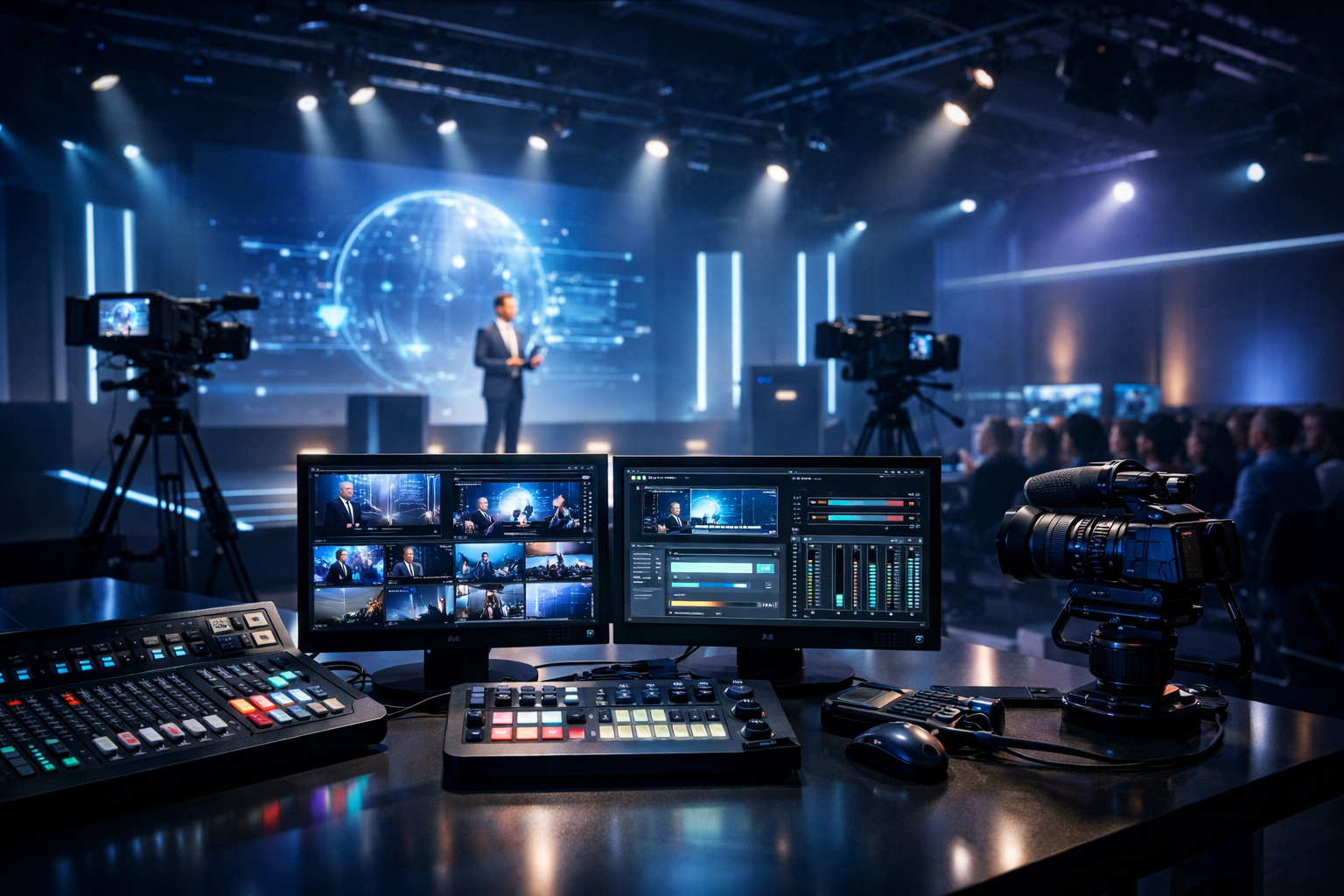
Top Live Streaming Platforms for Corporate Events in 2026 (Ranked for DJs & Broadcasters)
Corporate events in 2026 don’t look like they did a few years ago. Hybrid town halls, internal radio-style audio lounges, DJ-led afterparties, product launches, and multi-room breakouts all need streaming that’s reliable, secure, and easy to run under pressure. If you’re a radio DJ, music streamer, podcaster, church broadcaster, school station, or live event streamer, you also need a platform that can scale without surprise billing, deliver consistent quality, and keep the stream alive even if your encoder drops.
This ranked list focuses on real-world corporate event needs: stable delivery, predictable pricing, compatibility with modern workflows, and the ability to stream from any device to any device. You’ll also see where platforms differ on latency (including options that can hit very low latency 3 sec in specific setups), and which ones are best for audio-first “broadcast style” events vs video-heavy productions.
Pro Tip
If your corporate event has a “show flow” (intro, keynote, breaks, music bed, outro), prioritize platforms that support AutoDJ or a fallback playlist. Dead air is the #1 thing stakeholders remember.
Quick Table of Contents
- How We Ranked Live Streaming Platforms (2026 Criteria)
- Top 7 Live Streaming Platforms for Corporate Events (Ranked)
- Why Shoutcast Net Is the Best Flat-Rate Choice (AutoDJ, 99.9% Uptime, $4/mo)
- Pricing Reality Check: Wowza-Style Per-Viewer/Per-Hour vs Flat-Rate
- Fast Setup Workflow for Corporate Events (Encoder, Backup, AutoDJ Fallback)
- Choosing the Right Platform for Your Event Type (Audio, Video/IPTV, Restream)
Best for DJs & Broadcasters
Shoutcast Net is built for broadcast-style reliability with flat-rate plans that can handle corporate listener spikes without the “meter running.” Start from $4/month, get unlimited listeners, SSL streaming, and 7 days trial.
How We Ranked Live Streaming Platforms (2026 Criteria)
Corporate events punish weak links: unstable hotel Wi‑Fi, last-minute speaker changes, VPN-restricted employees, and executives who expect the stream to “just work.” We ranked platforms using criteria that matter to broadcasters and event teams—not just marketers.
Our 2026 scoring criteria
- Reliability & uptime: can it stay live for hours, handle spikes, and provide monitoring?
- Pricing predictability: flat-rate vs per-viewer/per-hour models (the Wowza-style meter).
- Latency options: from “broadcast delay” to very low latency 3 sec for interactive segments.
- Protocol flexibility: support for modern workflows and any stream protocols to any stream protocols (RTMP, RTSP, WebRTC, SRT, etc) via integrations or native features.
- Distribution reach: embeds, private links, DRM/SSO options, and the ability to Restream to Facebook, Twitch, YouTube when the event is public-facing.
- Audio-first readiness: stable MP3/AAC streaming, player compatibility, metadata, and AutoDJ fallback for “radio-style” corporate channels.
Finally, we weighed how easy it is to run a show as a DJ or broadcaster: fast setup, encoder compatibility, simple URLs, and a clear path to a backup plan if the primary encoder or laptop fails. Corporate events don’t forgive technical drama.
Pro Tip
Before choosing a platform, define your “failure mode.” If your laptop dies mid-keynote, do you want the stream to stop—or to automatically roll into a playlist, looped messaging, or a holding track via AutoDJ?
Top 7 Live Streaming Platforms for Corporate Events (Ranked)
Below are the top platforms we see used in corporate settings (internal and public), ranked with DJs and broadcasters in mind. Each option can work—what changes is cost, control, and how much engineering you want to do on event day.
#1 — Shoutcast Net (Best Flat-Rate Choice for Audio-First Corporate Events)
If your corporate event is primarily audio—town-hall audio feeds, employee radio, conference hallway channel, DJ entertainment stream, simultaneous interpretation audio, or “listen-only” sessions—Shoutcast Net is the most practical, budget-safe choice in 2026. You get broadcast-grade streaming built for long runtimes with 99.9% uptime, SSL streaming, and unlimited listeners on a flat-rate plan (starting at $4/month), so you’re not punished for success when attendance spikes.
For DJs and radio teams, the standout feature is AutoDJ—ideal for corporate schedules that start early, run long, and include breaks. If your live encoder drops, you can keep the channel alive with pre-loaded music beds, sponsor reads, holding announcements, or a “we’ll be back shortly” loop. That’s the difference between a professional broadcast and an awkward dead-air incident in front of leadership.
Unlike legacy “do-it-yourself” setups that can feel like old-school Shoutcast limitations (manual processes, fragile workflows, and limited support), Shoutcast Net focuses on a hosted experience that’s easy to manage and built for today’s audience expectations—so you can stream from any device to any device without engineering a custom stack.
Get started: Start 7 days trial or browse plans in the shop. Learn more about AutoDJ and Shoutcast hosting.
Pro Tip
For corporate events, create two playlists: (1) a “pre-show lobby” mix and (2) a “technical delay” loop. With AutoDJ, you can switch the vibe instantly without reconfiguring your encoder.
#2 — Vimeo (Best for Secure, Branded Corporate Video Webcasts)
Vimeo remains a strong pick for corporate video teams who want polished embeds, brand control, and professional playback experiences. It’s commonly used for investor updates, product launches, internal leadership streams, and training sessions where the “TV-like” feel matters. Vimeo’s player and privacy controls are typically easier for corporate communications teams than cobbling together multiple tools, and it’s well-suited for delivering a reliable viewer experience on desktops and mobile devices.
Where Vimeo shines is the business-facing layer: clean branded destinations, analytics, and access controls that fit internal audiences. If your event is less “DJ broadcast” and more “corporate keynote video,” Vimeo is a safe, familiar choice. It can also complement an audio-first workflow—some teams run a dedicated Shoutcast Net audio channel alongside Vimeo for employees who can’t watch video on the go.
Tradeoff: pricing is rarely “tiny budget friendly,” and you’ll typically pay for a video-centric feature set even if your event is mostly audio. If you’re trying to avoid Wowza-style per-viewer/per-hour pricing surprises, make sure you read the fine print on bandwidth, viewer limits, or event caps across plans.
Pro Tip
If your audience includes remote employees on limited connections, offer an audio-only fallback (Shoutcast Net) so they can still participate when video buffers.
#3 — Zoom Events / Webinars (Best for Interactive Corporate Meetings)
Zoom remains a default choice for corporate interaction: Q&A, panels, multi-speaker sessions, workshops, and internal meetings. When your event needs face-to-face engagement, screen sharing, and moderation tools, Zoom’s ecosystem is hard to beat. For some corporate events, the “platform” is less about broadcasting and more about facilitating a managed meeting experience with predictable controls.
For DJs and broadcasters, Zoom is not a true streaming host in the broadcast sense—audio quality, music licensing constraints, and user-side device variability can become frustrating. But Zoom can still fit into a professional workflow when you treat it as the production room and then output to a broadcast platform. Many teams take Zoom’s output and feed it into an encoder, allowing them to reach a wider audience with a stable stream and consistent playback.
If you need to Restream to Facebook, Twitch, YouTube for public segments, Zoom can be paired with restreaming tools or a production switcher, but it’s not the simplest “one link for everyone” experience for high-scale corporate broadcasts. For that, flat-rate audio hosting (Shoutcast Net) or purpose-built video platforms tend to be smoother.
Pro Tip
Use Zoom for speakers and Q&A, but deliver the main program via a broadcast stream. Your viewers get a cleaner experience, and your production team gets fewer “can you hear me?” moments.
#4 — Microsoft Teams Live Events / Town Halls (Best for Microsoft-First Organizations)
For organizations standardized on Microsoft 365, Teams-based live experiences can be the path of least resistance—especially when user access, corporate logins, and internal compliance requirements are non-negotiable. It’s often selected for internal town halls, HR announcements, and executive broadcasts where attendance is high but interaction is structured.
The strength here is identity and governance: you can keep events within your tenant, manage permissions, and reduce friction for employees who already live in Teams daily. For corporate IT, that can matter more than creative control. That said, DJs and audio-first broadcasters may find Teams restrictive for music programming and “station-style” presentation. It’s not designed to be a radio server, and you don’t get the same streaming continuity tools you’d expect in broadcast hosting, such as AutoDJ fallback.
A common best practice: run the official video town hall in Teams, and simultaneously run a Shoutcast Net audio stream for employees who are traveling, driving, or have limited bandwidth. This is a practical way to stream from any device to any device without forcing everyone into a video call environment.
Pro Tip
If Teams is mandatory, add an audio-only “companion stream” for accessibility and bandwidth savings. It also acts as a redundancy path if video clients struggle.
#5 — Restream (Best for Multi-Destination Broadcasts)
Restream is ideal when your corporate event needs to be visible in multiple places at once—public brand activations, recruiting events, conference stages, or sponsor-driven programs where marketing wants distribution everywhere. The main appeal is operational simplicity: one production feed in, many destinations out, including the ability to Restream to Facebook, Twitch, YouTube while also hitting other endpoints.
For DJs and broadcasters, Restream is a distribution layer—not a true hosting solution for audio-only stations. If you’re running a music-driven corporate afterparty or an internal “radio” channel, you’ll usually pair Restream with a dedicated audio host (like Shoutcast Net) or a video host. Where it helps corporate teams is speed: fewer logins, fewer separate streaming setups, and a single place to manage titles and go-live actions.
Watch-outs: latency varies by destination, chat moderation gets complicated, and privacy is only as controlled as the platforms you’re streaming to. If the event is internal-only or requires strict access control, you may prefer a dedicated corporate video platform plus a private audio stream.
Pro Tip
Use Restream for the marketing broadcast, but keep a private internal audio channel on standby. If a social platform throttles reach or fails, your internal audience still has a reliable link.
#6 — Wowza (Best for Custom Engineering, Worst for Surprise Billing)
Wowza is well-known in the streaming world for flexible server and cloud workflows, and it can be engineered to support sophisticated media pipelines. If your corporate event requires custom integrations, specialized device support, or a highly tailored streaming architecture, Wowza can be part of that solution—especially when you have dedicated developers and a budget for ongoing maintenance.
But for most DJs, broadcasters, schools, churches, and small-to-mid event teams, Wowza’s biggest drawback is the pricing structure: it often resembles per-viewer/per-hour or usage-metered billing patterns. That’s risky for corporate events, where attendance can spike unexpectedly (executives forward links, departments invite partners, or a keynote goes viral internally). In 2026, predictable budgets matter—and this is where a flat-rate host like Shoutcast Net wins for audio channels.
Another practical issue: Wowza is not a “set it and forget it” broadcast host. You’ll do more configuration, more monitoring, and more troubleshooting under time pressure. If your goal is a stable corporate station that can run continuously with AutoDJ, SSL, and unlimited listeners, Shoutcast Net is purpose-built for that experience without the enterprise cloud complexity.
Pro Tip
If you’re considering Wowza, estimate costs using your worst-case attendance and duration—then compare that to a flat-rate host. Corporate events rarely stay “small” once leadership shares the link.
#7 — Self-Hosted NGINX / Media Servers (Best for Full Control, Highest Operational Risk)
Self-hosting (NGINX with RTMP modules, custom HLS packaging, or containerized media services) can be tempting—especially for IT teams who want control, data locality, and internal routing. In theory, it can also support broad protocol workflows, including paths that resemble any stream protocols to any stream protocols (RTMP, RTSP, WebRTC, SRT, etc) when combined with the right components.
In practice, corporate event day is not when you want to learn your edge cache is misconfigured or your TLS certificate expired. Self-hosting adds operational load: monitoring, autoscaling, DDoS considerations, player compatibility, and debugging every “it won’t play on my phone” ticket. For DJs and broadcasters, it also lacks turnkey features like AutoDJ and simple mount/stream management unless you build them yourself.
If you’re doing audio-first corporate broadcasting, a hosted platform with predictable pricing and support is usually a better move. For example, Shoutcast Net’s flat-rate approach avoids the “enterprise ops tax,” while still letting you stream from any device to any device with minimal setup and professional reliability.
Pro Tip
If you must self-host, still keep a hosted backup stream ready. A flat-rate audio stream is an inexpensive insurance policy against infrastructure surprises.
Why Shoutcast Net Is the Best Flat-Rate Choice (AutoDJ, 99.9% Uptime, $4/mo)
For corporate events that need dependable audio streaming—whether that’s an internal “corporate radio” channel, a DJ entertainment feed, a conference audio simulcast, or an always-on lobby stream—Shoutcast Net hits the sweet spot: broadcast tools without enterprise billing. Plans start at $4/month, include unlimited listeners, and are designed to stay stable for long runtimes with 99.9% uptime and SSL streaming.
Most importantly for event producers: AutoDJ is not a “nice to have.” It’s your safety net. Corporate events have breaks, delays, and last-minute schedule changes. With AutoDJ you can keep the channel alive with music, pre-recorded segments, sponsor messages, or instructions—so the audience never hits silence. That’s especially valuable for schools, churches, and station teams who run lean crews.
Shoutcast Net is also a practical answer to the “compatibility” problem. You can stream from any device to any device—from a DJ laptop running an encoder to listeners on phones, desktops, and connected audio environments. And if your corporate workflow includes video elsewhere, your audio stream still provides a low-bandwidth, reliable access path.
Try it without commitment: Start 7 days trial, then scale up as needed in the shop. Explore AutoDJ or go straight to Shoutcast hosting. (Need alternatives? Shoutcast Net also supports options like icecast for different broadcasting styles.)
Pro Tip
Create a “corporate-safe” playlist (instrumentals, chill, clean edits). With AutoDJ, you can keep the stream running even when you’re moving locations or changing setups backstage.
Pricing Reality Check: Wowza-Style Per-Viewer/Per-Hour vs Flat-Rate
Corporate event streaming budgets fail for one reason: metered pricing collides with unpredictable attendance. Wowza-style billing often scales with usage—think per-hour, per-GB, or effectively per-viewer/per-hour dynamics depending on how your workflow is structured. That can be manageable for controlled pilots, but it’s risky for town halls and all-hands events where viewership can spike suddenly.
Why metered billing hurts events
- Attendance spikes when leaders forward the link.
- Longer runtimes happen when Q&A runs over.
- Multiple replays inflate hours watched if VOD is counted.
- Higher bitrates increase data transfer costs.
Flat-rate advantage (especially for audio-first broadcasts)
A flat-rate model like Shoutcast Net’s is easier to justify to stakeholders because it’s predictable. You don’t have to guess the cost of success. You can run a corporate channel every day, add pre-show and post-show segments, and keep a backup stream online—all without watching a usage meter.
| Factor | Wowza-style metered model | Shoutcast Net flat-rate hosting |
|---|---|---|
| Cost predictability | Varies with viewers & hours (surprises happen) | Predictable monthly rate (from $4/month) |
| Listener spikes | Often increases cost | Unlimited listeners (ideal for all-hands) |
| Event-day complexity | More engineering & monitoring | Broadcaster-friendly tools + AutoDJ fallback |
| Continuity (no dead air) | Depends on custom setup | AutoDJ keeps audio running during breaks |
Pro Tip
When pitching streaming internally, emphasize risk reduction: flat-rate hosting avoids “surprise invoices” and gives you a stable channel you can reuse for every corporate event.
Fast Setup Workflow for Corporate Events (Encoder, Backup, AutoDJ Fallback)
A corporate event workflow should be fast, repeatable, and resilient. The goal is to build a chain that survives common failures: Wi‑Fi drops, laptop restarts, speaker delays, or someone unplugging the audio interface. Below is a proven broadcast-style setup you can deploy in under an hour once you’ve done it once.
Step 1: Choose your primary stream path
For audio-first events, send your mixer output into a laptop encoder and publish to Shoutcast Net. For video events, you can still create a parallel audio stream so remote staff can listen while commuting or multitasking. The important principle is to keep the stream easy to access and able to stream from any device to any device.
Step 2: Configure encoder + secure delivery
Use SSL where available (especially for corporate networks). Keep settings simple and stable (AAC/MP3, moderate bitrate). If your workflow includes advanced routing, aim for a system that can bridge any stream protocols to any stream protocols (RTMP, RTSP, WebRTC, SRT, etc) via your switcher or gateway—then hand off a clean audio feed to your hosting.
# Example: event run-sheet checklist (audio-first)
- Encoder connected to mixer output
- Stream URL + password verified
- SSL stream link tested on phone + laptop
- Backup internet (hotspot) ready
- AutoDJ playlist enabled for fallback
- Metadata/now-playing configured (optional)
Step 3: Add redundancy (backup encoder + backup internet)
If you can, run a second encoder device on standby (even a phone with a compatible encoder app or a second laptop). Corporate venues are notorious for unpredictable networks. A simple LTE/5G hotspot can save your show.
Step 4: Use AutoDJ as your “always on” safety net
This is where Shoutcast Net shines compared to fragile legacy Shoutcast setups: you can keep a curated playlist ready so your channel never goes silent. When the live feed drops, AutoDJ keeps the stream alive with professional continuity until you reconnect.
Pro Tip
Treat your corporate stream like a radio station: schedule a pre-show, a “walk-in” bed, and a post-show wrap. If video is delayed, your audio stream stays professional and calm.
Choosing the Right Platform for Your Event Type (Audio, Video/IPTV, Restream)
The “best” live streaming platform depends on what your corporate event is actually trying to deliver: an audio broadcast, a secure internal video keynote, or a public multi-platform marketing stream. Use this section to pick the simplest tool that meets the requirement—without inheriting Wowza-style per-viewer/per-hour costs unless you truly need custom engineering.
If your event is audio-first (DJ sets, radio-style coverage, translations)
Choose Shoutcast Net. You get flat-rate predictability, unlimited listeners, SSL streaming, and AutoDJ fallback—ideal for corporate schedules. Start at $4/month and use the 7 days trial to test your full workflow before event day.
If your event is video-heavy (keynotes, panels, product demos)
Choose a corporate video platform (like Vimeo) or your organization’s standard (Teams/Zoom), then consider adding a parallel audio channel via Shoutcast Net as a low-bandwidth alternative. This is a simple way to stream from any device to any device and reduce complaints from employees who can’t watch video at the moment.
If your event must be everywhere (public-facing brand broadcasts)
Use a distribution layer like Restream when you need to Restream to Facebook, Twitch, YouTube and other endpoints. For best results, still originate from a stable production feed. If your show includes music or DJ programming, keep rights, moderation, and platform rules in mind.
If your event requires ultra-interactive low latency
For real-time interactions (live auctions, two-way participation), plan specifically for low-latency delivery paths that can reach very low latency 3 sec under the right conditions. This usually involves WebRTC or tuned HLS/LL-HLS workflows and careful network planning. Even then, many corporate teams still run an audio broadcast channel for reliability and fallback.
Where Shoutcast Net fits in modern corporate stacks
In 2026, corporate event stacks are modular. You might use Teams for employee identity, Vimeo for video polish, and Restream for public marketing—but you still need a dependable audio layer. Shoutcast Net is that layer: flat-rate, broadcaster-ready, and designed to avoid the budget shocks of metered platforms. It also avoids the pain of older, legacy Shoutcast limitations by providing hosted reliability, simple management, and a practical feature set for DJs and stations.
Pro Tip
Build a two-link strategy: (1) your main video link and (2) a dedicated audio link (Shoutcast Net). When corporate networks block one method, the other usually still works.
Ready to run your next corporate event stream?
Start with Shoutcast Net’s flat-rate broadcasting and test your full setup before the show. You’ll get AutoDJ, 99.9% uptime, SSL streaming, and unlimited listeners—with plans starting at $4/month.
Start 7 days trial | Shoutcast hosting | AutoDJ | Shop Plans | Icecast hosting