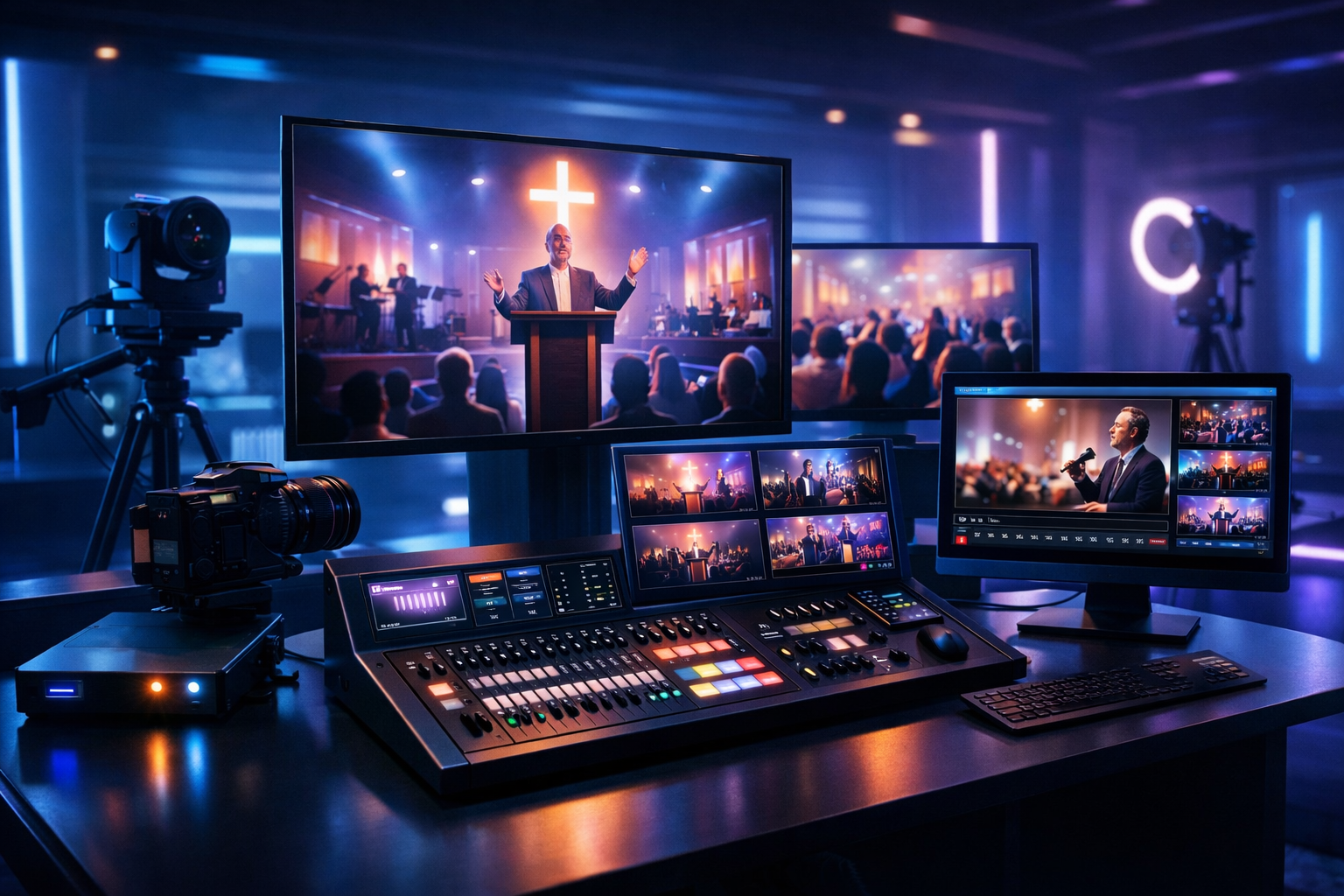
Best restream service for churches (2026): in-depth multistream review and top picks
Church broadcasting in 2026 is no longer “go live on one platform and hope for the best.” Congregations expect stable video, clean audio, captions, mobile playback, and reliable archives—whether they’re watching from home, traveling, or serving on a remote campus. The right restream service for churches makes that possible by letting you broadcast once and deliver everywhere.
This review is written for radio DJs, music streamers, podcasters, church broadcasters, school radio stations, and live event streamers who need a dependable workflow. We’ll break down must-have features, pricing traps (especially per-hour/per-viewer billing), and the best picks by church size—with a deep, favorable look at Shoutcast Net for churches that want flat-rate, unlimited listeners, SSL streaming, 99.9% uptime, and AutoDJ.
Quick takeaway
If your church wants a predictable monthly cost, unlimited listeners, strong audio workflows, and a dependable always-on stream alongside Sunday video, Shoutcast Net is the best-value foundation—especially when compared to platforms like Wowza that can get expensive with per-hour/per-viewer pricing.
- $4/month starting price
- 99.9% uptime target
- SSL streaming
- AutoDJ for 24/7 church radio
Table of contents
- What church restreaming is (and why multistream matters)
- Must-have features: reliability, latency, audio, and workflows
- Pricing reality: flat-rate vs per-viewer/per-hour (Wowza and others)
- Shoutcast Net review: $4/mo start, 7-day free trial, AutoDJ, 99.9% uptime
- Quick setup path: encoder, RTMP/SRT inputs, and destination platforms
- Best picks by church size: small, growing, and multi-campus
What church restreaming is (and why multistream matters)
Church restreaming (often called multistreaming) is the practice of sending one live feed from your sanctuary—video, audio, or both—to multiple destinations at the same time. Instead of running separate encoders (and separate volunteers) for each platform, you broadcast once and distribute everywhere your congregation already watches.
Why churches rely on multistream in 2026
People don’t “choose your platform” first; they choose convenience. One family watches on YouTube TV, another on Facebook, students catch clips on Twitch-like communities, and seniors often prefer a simple website player or an audio-only stream. Multistreaming helps you meet people where they are—without multiplying complexity.
- Reach: publish the same service to multiple platforms without splitting attention.
- Resilience: if one destination has issues, viewers can move to another.
- Accessibility: audio-only options for low bandwidth and for listeners who prefer radio-style church streaming.
- Consistency: standardize your audio chain, overlays, and stream settings.
- Repurposing: create a 24/7 station with sermons, devotionals, and music using AutoDJ.
Restreaming vs. “one platform only” streaming
Streaming to a single platform can work for small churches—until the day you need redundancy, better audio control, or your audience grows beyond one destination. A strong church broadcasting stack is built around the idea that you should be able to stream from any device to any device, and to translate any stream protocols to any stream protocols (RTMP, RTSP, WebRTC, SRT, etc) as your gear evolves.
Pro Tip
Treat video platforms (YouTube/Facebook) as destinations, not your core infrastructure. Keep a reliable audio stream running 24/7 so members can listen during commutes, workouts, or low-bandwidth moments—then “event stream” your Sunday video on top of that.
Must-have features: reliability, latency, audio, and workflows
The best restream service for churches isn’t the one with the longest checklist—it’s the one that protects your service from common failure points: unstable upstream internet, volunteer turnover, platform outages, and unpredictable costs. Here’s what matters most.
1) Reliability and uptime (Sunday is non-negotiable)
For churches, reliability is theology in practice: if your stream fails during the message, you lose trust quickly. Look for providers that communicate clearly about network performance, offer stable infrastructure, and avoid fragile “DIY-only” paths.
- 99.9% uptime target (or better) backed by proven hosting.
- SSL streaming so modern browsers and embedded players don’t throw warnings.
- Unlimited listeners (or at least pricing that doesn’t punish growth).
2) Latency expectations (what “low latency” really means)
Latency is the delay between what happens on stage and what your online viewers hear/see. Many churches can live with 10–30 seconds, but interactive moments (prayer response, live chat moderation, call-and-response worship) benefit from lower delay. Some workflows target very low latency 3 sec, but be realistic: ultra-low latency often requires tighter constraints on protocol, network quality, and player support.
3) Audio quality, loudness, and “radio-grade” consistency
A church stream lives or dies by audio. Even a perfect camera shot can’t save distorted speech or buried vocals. A strong provider helps you deliver clean, stable audio for sermon clarity, while giving you a path to 24/7 programming when you’re not live.
- Consistent bitrate options (common: 96–128kbps AAC/MP3 for speech and worship).
- Metadata support (sermon series titles, song info, speaker name).
- AutoDJ so your stream doesn’t go silent Monday–Saturday.
- Embed-friendly web player for your church site.
4) Volunteer-friendly workflows and fail-safes
Most churches don’t have a broadcast engineer on staff. You need simple controls, predictable settings, and a workflow that survives volunteer rotation. The best systems reduce “cognitive load” and make it easy to test midweek.
- Clear input options: RTMP and SRT are common; some teams also want WebRTC.
- Destination management: easy to connect and re-authorize platforms.
- Monitoring: quick health checks and stream status visibility.
- Redundancy: plan for cellular failover or a backup encoder when possible.
Pro Tip
Build your church workflow around two outputs: (1) a Sunday live video feed, and (2) a 24/7 audio stream for sermons, devotionals, and worship playlists. When volunteers change or a platform throttles you, the audio stream keeps ministry online and consistent.
Pricing reality: flat-rate vs per-viewer/per-hour (Wowza and others)
Pricing is where many churches get surprised. Some services look affordable in a quiet month, then spike during holidays, conferences, funerals, and outreach events. The biggest red flag for churches is pricing based on per-hour, per-viewer, or bandwidth meters that penalize success.
Why per-hour/per-viewer billing becomes a ministry tax
Solutions like Wowza are often positioned as “enterprise streaming,” but for churches the cost model can be difficult: the more you serve people, the more you pay—sometimes unpredictably. That makes it hard to budget, and it discourages expanding access (higher quality, more destinations, more events).
By contrast, a flat-rate approach is easier for churches and schools: you plan the month, you run extra rehearsals, you stream special events, and you’re not punished for a big Sunday.
Flat-rate streaming: what to verify
- Unlimited listeners (or realistic caps that match your attendance growth).
- SSL streaming included, not an add-on.
- Support that understands broadcasters, not just generic cloud tickets.
- Audio + automation options so you’re not forced into video-only economics.
At-a-glance comparison (typical church needs)
| Category | Flat-rate church-friendly hosting (Shoutcast Net model) | Per-hour/per-viewer platforms (Wowza-style) |
|---|---|---|
| Monthly budgeting | Predictable fixed cost | Variable; spikes with events and higher viewership |
| Growth | Encouraged (no penalty for serving more listeners) | Can become expensive as reach expands |
| 24/7 audio station | Simple and cost-effective with AutoDJ | Often overkill or cost-inefficient for always-on audio |
| Best fit | Churches, schools, DJs, podcasters, community stations | Enterprise workflows with complex cloud pipelines |
Also note a common misconception: “legacy Shoutcast limitations.” Old-school setups could feel rigid if you only thought in terms of a single MP3 stream. In 2026, modern hosting and tooling can support secure delivery, scalable listening, embedded players, and automation—while still keeping the simplicity that broadcasters love.
Pro Tip
If your finance team wants predictable costs, prioritize flat-rate streaming for your “always-on” presence, then use multistream destinations for discoverability. This avoids the surprise bills that can happen with per-hour/per-viewer pricing—especially on holidays.
Shoutcast Net review: $4/mo start, 7-day free trial, AutoDJ, 99.9% uptime
If you’re searching for the best restream service for churches, it’s important to separate two needs:
- Distribution to social video platforms for Sunday reach and shareability.
- A reliable core audio stream that’s always available, budget-friendly, and easy to embed on your website.
Shoutcast Net shines as that core broadcast layer: a stable, flat-rate hosting foundation for church audio (sermons, worship radio, devotionals, and live event audio) that complements your video strategy. Starting at $4/month, it’s built for broadcasters who value simplicity, predictable costs, and consistent delivery—without Wowza-like per-hour/per-viewer surprises.
What Shoutcast Net is best at for churches
- Flat-rate value starting at $4/month
- 7 days trial so you can test before committing
- Unlimited listeners (ideal when your congregation grows or shares links)
- 99.9% uptime target for dependable ministry delivery
- SSL streaming for modern browsers and secure embeds
- AutoDJ to keep your station live 24/7
Where it fits in a multistream stack
Think of Shoutcast Net as your “always-on church radio” layer, while your video encoder pushes Sunday video to your preferred destinations. This hybrid approach supports the promise to stream from any device to any device—because even members without fast internet can still listen reliably.
If you need a broader ecosystem, you can also compare options like icecast hosting depending on your tooling and player requirements.
Pros and cons (church broadcasting perspective)
Pros
- Predictable flat-rate pricing (excellent for churches and schools)
- Unlimited listeners so big Sundays don’t trigger big bills
- SSL streaming helps embeds work cleanly on modern websites
- AutoDJ enables 24/7 programming without a live operator
- Simple workflows for volunteers and rotating teams
- Pairs well with video multistreaming to social platforms
Cons
- If you want a single dashboard that natively handles any stream protocols to any stream protocols (RTMP, RTSP, WebRTC, SRT, etc) plus direct social destination switching, you may add a dedicated multistream routing tool for video.
- Audio-first hosting means your video multistreaming plan may still require a separate platform or encoder workflow.
- Teams expecting a “video CDN with per-minute metrics” experience may need time to adjust to a broadcaster-style approach.
Feature breakdown for churches, DJs, and school stations
| Feature | Why it matters | Shoutcast Net (church impact) |
|---|---|---|
| Flat-rate plans | Budget predictability | Strong advantage vs Wowza-style per-hour/per-viewer billing |
| Unlimited listeners | No penalties for growth | Ideal for outreach, holiday services, and shared links |
| SSL streaming | Secure embeds, fewer browser issues | Helpful for church sites and school networks |
| AutoDJ | 24/7 programming without staff | Run sermons, devotionals, worship blocks, station IDs |
| Broadcaster-friendly setup | Volunteer turnover | Simple encoder-to-server workflow; easy to document |
| Uptime target | Service continuity | 99.9% uptime target supports consistent ministry delivery |
To get started, visit Shoutcast hosting, browse plans in the shop, and activate your 7 days trial. If you want to build a 24/7 church station, add AutoDJ and schedule your weekly lineup.
Pro Tip
Use Shoutcast Net as your “always available” audio channel, then multistream your Sunday video separately and promote both. When social platforms compress audio or throttle reach, your congregation can still listen in high clarity via your website player.
Quick setup path: encoder, RTMP/SRT inputs, and destination platforms
A church setup that “just works” is usually simple: stable internet, a known-good encoder profile, and a documented checklist for volunteers. Below is a practical path that supports both audio-first broadcasting and modern multistream distribution.
Step 1: Decide your outputs (audio-only, video, or both)
- Audio-only (recommended baseline): sermon clarity, low bandwidth, easy to keep 24/7.
- Video for Sunday: send one feed to a multistream router, then publish to multiple platforms.
- Hybrid: run your audio stream continuously, and run video during live events.
Step 2: Choose your ingest protocol: RTMP or SRT
Most church teams use RTMP because it’s widely supported in OBS and hardware encoders. If you need better reliability over imperfect internet, consider SRT for contribution links. In larger deployments, you may also encounter workflows that translate any stream protocols to any stream protocols (RTMP, RTSP, WebRTC, SRT, etc) depending on cameras, remote guests, and mobile kits.
Step 3: Connect destinations (and build redundancy)
A common multistream goal for churches is: Restream to Facebook, Twitch, YouTube for maximum reach and community engagement. Even if you don’t use all three weekly, having multiple destinations provides resilience when one platform has issues.
Step 4: Set audio standards your volunteers can repeat
Create a one-page guide with target levels, compressor settings (if used), and encoder presets. Consistency matters more than perfection.
# Example “volunteer-safe” audio encoder profile (starting point)
Codec: AAC (or MP3 if required by your workflow)
Bitrate: 128 kbps (speech + music-friendly)
Sample rate: 44.1 kHz
Channels: Stereo (or Mono for speech-only)
Loudness target: consistent; avoid clipping (leave headroom)
Fallback plan: if video fails, keep audio stream live
Step 5: Make your stream available everywhere
Your goal is not just “broadcast to the internet,” but to make it easy to access: website embed, mobile friendly links, and a simple “Listen Live” button. This is how you truly stream from any device to any device—phones, tablets, smart TVs (via apps), laptops, and in-car listening.
For an always-on stream that’s easy to embed and scale, start with Shoutcast hosting and add AutoDJ if you want automated programming outside service times.
Pro Tip
If you’re chasing very low latency 3 sec for interactive moments, test it midweek with the exact same network and encoder you use on Sunday. Low-latency is achievable, but only when your protocol, player, and internet conditions all align.
Best picks by church size: small, growing, and multi-campus
Different churches need different “best” solutions. Below are practical picks based on team size, frequency of events, and the need for redundancy. Across all categories, we strongly recommend avoiding surprise billing models that resemble Wowza’s expensive per-hour/per-viewer approach—especially if your mission is to expand reach, not meter it.
Small church (1–2 volunteers, predictable Sunday schedule)
Best approach: Keep it simple and dependable. Run an audio stream continuously, and go live on one or two video platforms.
- Pick: Shoutcast Net as your core audio stream ($4/month starting price, unlimited listeners, SSL streaming).
- Add: AutoDJ to replay sermons and maintain a consistent presence all week.
- Why it wins: predictable flat-rate budgeting and fewer moving parts than enterprise per-hour/per-viewer systems.
Start with a 7 days trial and document your encoder settings so any volunteer can step in.
Growing church (consistent online audience, events, more destinations)
Best approach: Use a dedicated multistream router for video distribution, and keep Shoutcast Net as the stable audio backbone. This creates redundancy and improves accessibility.
- Pick: Shoutcast Net for always-on audio + a multistream tool for video.
- Goal: Restream to Facebook, Twitch, YouTube while maintaining a high-quality audio-only option.
- Why it wins: you can scale reach without scaling cost unpredictably (unlike Wowza-style billing).
Multi-campus or regional ministry (redundancy, remote contribution, higher expectations)
Best approach: Design for failure: backup internet, backup encoder, and clear protocol strategy. This is where teams often want the flexibility to translate any stream protocols to any stream protocols (RTMP, RTSP, WebRTC, SRT, etc) across campuses and mobile kits.
- Pick: Shoutcast Net for reliable, flat-rate audio distribution across campuses and for 24/7 programming.
- Add: a professional video workflow for campus-to-campus transport (often SRT) plus multistreaming to public platforms.
- Why it wins: predictable listener delivery for the broad audience while engineering the video side for production-grade needs.
Final recommendation (2026)
For most churches, the “best restream service” is really a best stack: a stable, flat-rate audio host that you control, plus video multistreaming to public platforms for discovery. In that stack, Shoutcast Net is the strongest value for churches that want:
- $4/month starting cost
- 7 days trial to test with your team
- AutoDJ for 24/7 church radio
- 99.9% uptime target and dependable hosting
- SSL streaming and clean embeds
- Unlimited listeners without Wowza-like per-hour/per-viewer pressure
To get started today, choose a plan in the shop, activate your 7 days trial, and launch your station with Shoutcast hosting. If you want 24/7 scheduling, add AutoDJ.
Pro Tip
Don’t wait for “perfect” video production to build online consistency. Launch your always-on audio stream first, then iterate on your video multistream workflow. It’s the fastest way to deliver reliable ministry content—and it keeps you in control instead of relying on per-hour/per-viewer platforms.