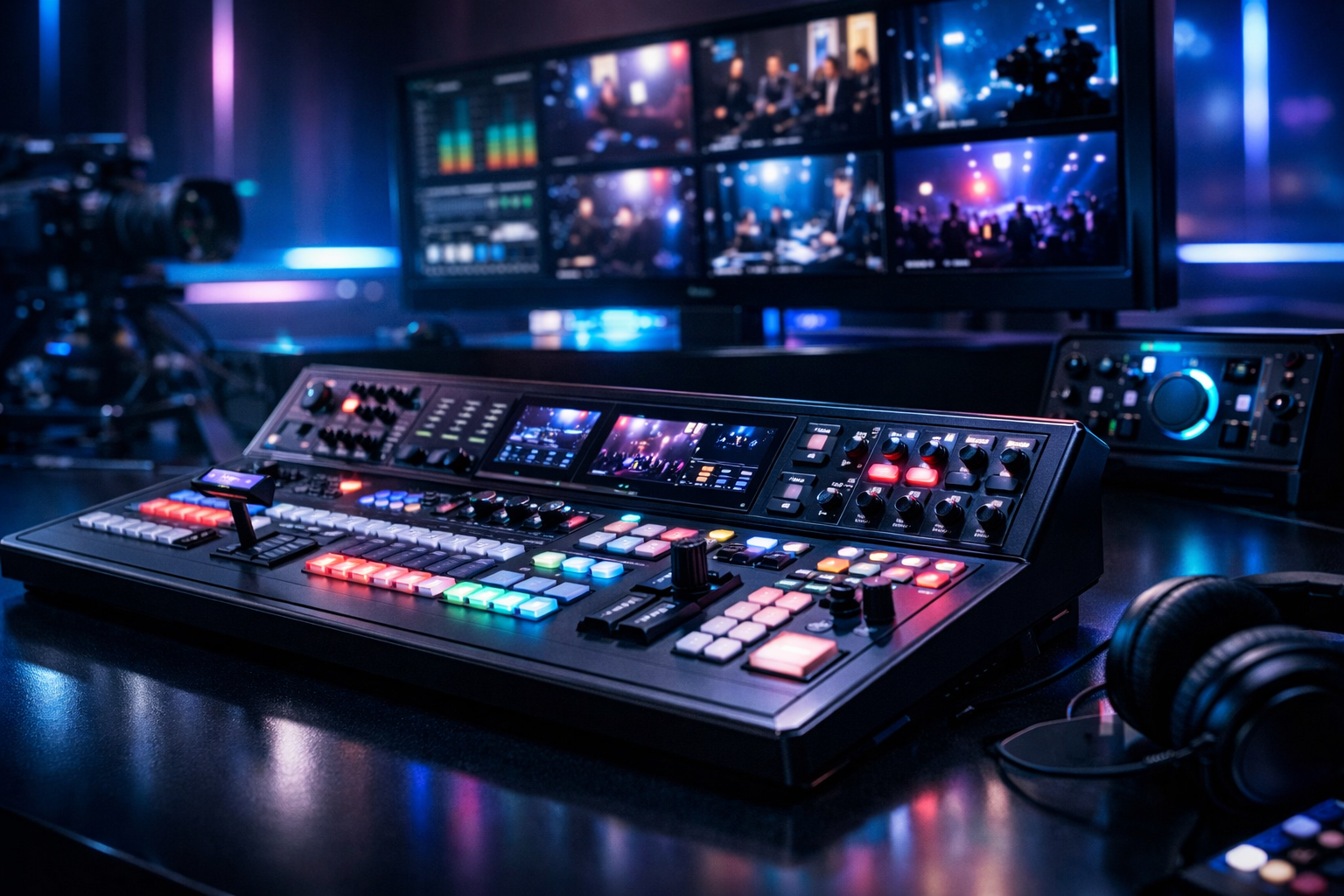
Top 5 Best Video Mixers for Live Streaming in 2026 (for DJs, churches & stations)
If you’re a radio DJ, music streamer, podcaster, church media team, or school station, a video mixer is the fastest way to make your livestream look (and sound) like a real broadcast—without turning every show into a complicated OBS science project. In 2026, the best switchers don’t just cut cameras—they integrate audio, handle multi-format inputs, feed confidence monitors, and output clean program feeds for Restream to Facebook, Twitch, YouTube and your station site.
Below are the five video mixers we recommend most for creators who need dependable live switching, clean audio routing, and stable outputs for live events—plus practical setups for DJs, podcasts, churches, and online radio simulcast.
Need the hosting to match your production? Pair your mixer + encoder with Shoutcast Net hosting for flat-rate, unlimited listeners, 99.9% uptime, SSL streaming, and AutoDJ—starting at $4/month with a 7 days trial via free trial.
Pro Tip
A “best” mixer isn’t the one with the most buttons—it’s the one that matches your inputs (HDMI/SDI/NDi), your audio workflow, and your output (USB webcam vs. HDMI/SDI vs. streaming). Choose based on your show format first, then budget.
Quick Picks: Best Video Mixers (2026) at a Glance
Here’s the short list for 2026—picked for real-world streaming reliability, audio handling, and creator-friendly workflows.
| Video Mixer | Best For | Inputs | Key Strength | Watch Outs |
|---|---|---|---|---|
| Blackmagic ATEM Mini Extreme ISO | DJs, podcasts, small churches | HDMI (8) + USB | ISO recording + solid “all-in-one” control | HDMI cable runs are limited vs SDI |
| Blackmagic ATEM SDI Extreme ISO | Churches, schools, auditoriums | SDI (8) + USB | Long cable runs + broadcast-style stability | Requires SDI cameras/converters |
| Roland V-160HD | Live events, hybrid stages | HDMI/SDI mix | Pro audio integration + scaling | Higher cost, deeper learning curve |
| YoloLiv YoloBox Ultra | Mobile streaming teams | HDMI + cellular bonding | All-in-one: switch + encode + stream | Less flexible than a full studio chain |
| vMix (software) + capture | Stations needing NDI + graphics | NDI/SDI/HDMI (via hardware) | Powerful overlays, routing, automation | PC stability/updates matter |
If you’re building a studio workflow designed to stream from any device to any device, the biggest win is choosing a mixer that matches your camera/capture formats and your encoder output—so you’re not fighting adapters and sync issues every show.
Also consider where you’re sending your program feed: some creators want one-click Restream to Facebook, Twitch, YouTube, while stations often want a parallel audio feed into a reliable hosting platform with unlimited listeners and SSL streaming.
Pro Tip
For simulcasting: send your video to your social platforms and your audio to a dedicated radio host. With Shoutcast Net, you avoid Wowza’s expensive per-hour/per-viewer billing and get a predictable flat-rate plan.
How to Choose a Video Mixer for Your Stream (Inputs, Audio, Output)
The “best video mixer” depends on your venue, cameras, audio needs, and where your stream goes. Focus on these three categories first: inputs, audio, and outputs/encoding.
1) Inputs: HDMI vs SDI vs NDI (and why it matters)
HDMI is common and affordable (great for DJs, podcasts, small studios), but cable runs get unreliable over distance. SDI is built for longer runs and tougher environments (great for churches, auditoriums, school events). NDI is video-over-IP—excellent for multi-room studios or stations already using networked cameras/production PCs.
- HDMI: cost-effective, short cable runs, lots of consumer cameras
- SDI: longer cable runs, locking connectors, live-event reliability
- NDI: flexible routing, great for graphics PCs and remote sources
If your plan is to bridge any stream protocols to any stream protocols (RTMP, RTSP, WebRTC, SRT, etc), make sure your workflow can ingest what you have (camera, phone, remote guest) and output what your platforms require—without introducing delay or audio drift.
2) Audio: embedded, analog, mixers, and sync
For radio DJs and podcasters, audio quality is usually more important than another camera angle. Look for:
- Mic/line inputs (or a plan to embed audio via camera/capture)
- Audio delay controls (to keep lips and sound aligned)
- AFV (audio-follow-video) for multi-speaker switching
- Clean mix-minus options if you bring remote guests
If you already have a DJ mixer or podcast interface, choose a video mixer that won’t fight your audio chain. Often the best solution is external audio into the mixer (or into your encoder) with deliberate sync management.
3) Outputs: USB webcam vs HDMI/SDI program vs internal encoder
Many creators want a video mixer that shows up as a USB webcam for easy use with OBS/Zoom/Teams. Others want dedicated HDMI/SDI program out for an encoder, projector, or recorder. Mobile teams may prefer a mixer with a built-in encoder for quick deployment.
Latency also matters. If you’re doing live call-ins, auctions, or real-time chat interaction, plan for very low latency 3 sec end-to-end (camera → mixer → encoder → platform). That’s easier when you control the chain and avoid unnecessary conversions.
Buying checklist (fast)
- How many simultaneous sources do you actually use (2, 4, 8)?
- Do you need ISO recording for post edits?
- Do you require multiview on a monitor?
- Do you need chroma key or built-in graphics?
- Is your venue wired for SDI or only HDMI?
- Will you run a parallel audio stream with AutoDJ as a fallback?
Pro Tip
If you’re a station: treat video as “bonus distribution,” but keep your core audio on a dedicated host. Shoutcast Net gives you flat-rate plans and unlimited listeners—a safer long-term model than Wowza’s expensive per-hour/per-viewer billing.
Top 5 Best Video Mixers for Live Streaming in 2026 (Full Reviews)
These picks cover the most common live streaming needs across DJs, podcasts, churches, schools, and stations. We’re prioritizing stable switching, audio management, and output flexibility for modern streaming workflows.
1) Blackmagic ATEM Mini Extreme ISO (Best overall for creators)
For DJs, podcasters, and small churches, the ATEM Mini Extreme ISO remains one of the best values: lots of HDMI inputs, a straightforward control surface, and ISO recording for editing later. It’s also a strong “first real switcher” for radio stations adding a studio cam + guest cam + screen share feed.
Key features:
- 8x HDMI inputs for cameras, laptops, media players
- USB-C webcam out for easy OBS/Zoom integration
- ISO recording (record each input + program for post)
- Built-in DVE, basic keys, transitions, picture-in-picture
- Multiview output for monitoring
Pros
- Excellent feature-to-price ratio
- ISO simplifies highlight clips and polished re-uploads
- USB webcam output reduces setup complexity
- Great for compact studios and DJ booths
Cons
- HDMI cable distance limitations
- Not ideal for large venues without converters
- Audio routing is good, but external mixers still win for complexity
Recommendation: Choose this if you want a reliable, creator-friendly hardware switcher with enough inputs for a multi-camera show and the ability to output clean video into your encoder or streaming app.
2) Blackmagic ATEM SDI Extreme ISO (Best for churches/schools needing long cable runs)
If you’re running cameras across a sanctuary, gym, or auditorium, SDI is simply less stressful than HDMI. The ATEM SDI Extreme ISO delivers the same general ATEM workflow but with SDI inputs designed for distance and reliability—perfect for volunteer teams who need consistent results week after week.
Key features:
- 8x SDI inputs for long runs and secure connections
- ISO recording for sermon clips, school events, replay packages
- Multiview monitoring
- USB webcam out for easy streaming/comms integration
- Works well with SDI-to-HDMI for projectors/confidence screens
Pros
- SDI reliability for real venues
- Cleaner installs with longer cable options
- ISO helps build a content library quickly
- Strong choice for schools and churches on a schedule
Cons
- May require SDI cameras or converters
- Not the cheapest path if you’re starting from HDMI gear
- More “install-minded” than mobile-minded
Recommendation: If your cameras are more than a few meters away, or you want a system that’s easy to cable and forget, this is the smarter buy than trying to force HDMI through long runs.
3) Roland V-160HD (Best for pro live events with serious audio needs)
Roland’s V-series has long been favored in event production where reliability matters and audio needs go beyond “good enough.” The V-160HD is a strong choice for churches with bands, conferences, and school auditoriums where you’re integrating multiple sources, scaling resolutions, and managing complex audio.
Key features:
- Hybrid input approach (HDMI/SDI depending on configuration)
- Frame sync/scaling to tame mismatched sources
- Advanced audio integration and routing options
- Multiple outputs for program + confidence + record feeds
- Built for continuous production environments
Pros
- Excellent for hybrid stages and multi-source events
- Scaling/frame sync reduces on-site surprises
- Audio options fit real production demands
Cons
- Higher cost than creator-focused switchers
- More setup complexity for small teams
- Overkill for a 2-camera DJ stream
Recommendation: Choose the V-160HD when your show is closer to “event production” than “home studio,” and you need a mixer that can handle varied sources and more demanding audio workflows.
4) YoloLiv YoloBox Ultra (Best all-in-one for mobile streaming)
If you’re streaming from festivals, street interviews, sports, or church outreach events, the YoloBox Ultra-style approach is appealing: an all-in-one unit that can switch, encode, and publish without a full laptop rig. It’s a strong “grab-and-go” solution when speed matters more than deep customization.
Key features:
- Portable switching with an integrated display
- Built-in encoding and platform publishing
- Useful for quick multi-camera setups and IRL-style streams
- Optimized for field reliability and rapid deployment
Pros
- Fast setup in the field
- Less gear than laptop + interface stacks
- Great for roaming teams and pop-up events
Cons
- Less flexible than a full PC-based production
- Advanced graphics/control can feel limited
- Not ideal for stations needing deep automation
Recommendation: Ideal when your primary requirement is “switch + stream now.” If you’re building a studio brand with heavy graphics, consider a hardware ATEM/Roland plus a dedicated encoder/PC.
5) vMix (software) + capture/IO (Best for stations that want NDI + graphics)
For online radio stations doing studio video, remote guests, and frequent overlays (lower thirds, rotating sponsors, live chat callouts), software switching can be the most powerful. vMix paired with a reliable capture device or SDI/HDMI IO gives you advanced routing and graphics that many hardware switchers can’t match.
Key features:
- NDI workflows for networked cameras and remote feeds
- Powerful graphics/overlays, titles, playlists, automation
- Flexible audio bus routing and mix options
- Integrates well with dedicated encoders and recorders
Pros
- Exceptional control for branding and graphics
- Great for remote guests and multi-PC studios
- Scales with your station as you add sources
Cons
- Depends on PC stability and maintenance
- Capture hardware choices matter a lot
- Higher complexity than a dedicated switcher
Recommendation: Best for stations and teams that want a “broadcast graphics engine” feel and can manage a dedicated production PC. Pair with stable hosting for your audio stream so your core listeners aren’t dependent on social platforms.
Need streaming tools and accessories? Browse options in our shop and build a chain that fits your show.
Pro Tip
If you’re choosing between hardware switching and software switching, decide what you can’t afford to fail. Hardware switchers reduce OS update surprises; software mixers can be more flexible. Many stations do both: hardware for cameras, software for overlays.
Recommended Setups: DJ, Podcast, Church, and Online Radio Simulcast
Below are practical “known good” workflows. Each one is designed to keep audio clean, reduce sync issues, and help you publish consistently.
Setup A: DJ livestream (2–3 cameras + screen capture)
Goal: Clean audio from your DJ mixer, one wide shot, one close shot, plus optional laptop visuals.
- Video: 2 HDMI cameras → ATEM Mini Extreme ISO
- Audio: DJ mixer master out → ATEM audio in (or audio interface → encoder)
- Visuals: Laptop HDMI (Serato/Traktor visuals) → input 3
- Output: USB webcam to OBS → Restream to Facebook, Twitch, YouTube
Setup B: Podcast/video show (3–4 cams + remote guest)
Goal: Smooth switching and consistent loudness with minimal tech overhead.
- Video: 3 cameras → ATEM Mini Extreme ISO
- Audio: Podcast interface/mixer → ATEM or OBS (apply compression/limiting)
- Remote guest: bring in via laptop HDMI or NDI (software option)
- Output: Program out to encoder with very low latency 3 sec settings when interaction matters
Setup C: Church (4–8 cams, long cable runs, volunteers)
Goal: Reliability, long cable runs, simple operation, and clean program feeds.
- Video: SDI cameras around venue → ATEM SDI Extreme ISO
- Audio: FOH console matrix/aux send → video mixer audio in (keep a dedicated streaming mix)
- Outputs: Multiview to operator monitor + program to encoder + optional projector feed
- Distribution: Send video to platforms, send audio to your station stream for members who only need audio
Setup D: Online radio simulcast (studio cams + graphics + 24/7 audio fallback)
Goal: Keep the station “always on” even when video shows end.
- Video switching: ATEM Mini or vMix (for heavier overlays)
- Graphics: vMix overlays (now playing, DJ name, sponsor lower thirds)
- Audio primary: Live DJ/presenter feed → encoder → Shoutcast Net hosting
- Audio fallback: AutoDJ playlist takes over automatically when live ends
This is where Shoutcast Net is especially strong: you get a predictable, flat-rate home for your station with unlimited listeners, SSL streaming, and a start price of $4/month—without being forced into Wowza’s expensive per-hour/per-viewer billing model.
If you also publish alternate formats, you can add icecast hosting alongside your Shoutcast stream for broader device/app compatibility.
Pro Tip
Build your workflow so it can stream from any device to any device: camera/laptop/phone in, stable program out, and a dedicated audio stream that stays live with AutoDJ when your video show ends.
Streaming Smoothly: Encoder Settings + Shoutcast Net Hosting (Flat Rate)
A great video mixer won’t save a stream with unstable encoding or overpriced delivery. The most consistent results come from: clean program output → stable encoder settings → reliable hosting (for audio streams) and/or a restream workflow for video platforms.
Recommended encoder settings (starting point)
Use these as a baseline and adjust to your upload bandwidth. If you want very low latency 3 sec, select low-latency modes in your platform and keep the chain simple.
Video (typical 1080p):
- Resolution: 1920x1080
- FPS: 30 (or 60 for sports/dance if bandwidth allows)
- Codec: H.264 (AVC)
- Rate Control: CBR
- Bitrate: 4500-6000 kbps (start at 5000)
- Keyframe Interval: 2 seconds
- Profile: High

Audio (video platform):
- Codec: AAC
- Sample Rate: 48 kHz
- Bitrate: 160-192 kbps stereo

Audio (radio stream):
- Codec: MP3 or AAC+
- Sample Rate: 44.1 kHz
- Bitrate: 128-192 kbps (music stations often prefer 192)
Why Shoutcast Net for your station stream (and why not Wowza pricing)
If you’re running an online radio station or doing consistent DJ/podcast programming, predictable costs matter. Wowza can be powerful, but creators frequently get stuck with expensive per-hour/per-viewer billing that’s hard to forecast during growth or special events.
With Shoutcast Net hosting, you get a flat-rate, unlimited model designed for broadcasters: $4/month starting price, unlimited listeners, 99.9% uptime, SSL streaming, and built-in AutoDJ options to keep you live 24/7.
It’s also an upgrade from legacy Shoutcast limitations many broadcasters remember: modern infrastructure, secure delivery, and streamer-friendly tooling—without punishing you when your audience grows.
Best practice: Split your video and audio distribution
For many DJs and stations, the smartest approach is:
- Video: publish to platforms and Restream to Facebook, Twitch, YouTube when needed
- Audio: publish to Shoutcast Net for stable, branded listening on your site/apps
- Fallback: use AutoDJ so your station never goes silent
You can test everything without risk using our 7 days trial via free trial.
Pro Tip
If you’re troubleshooting dropped frames, check upload headroom first. Aim to use no more than 60–70% of your sustained upload speed, especially if you’re sending multiple outputs (program + record + restream).
FAQ: Best Video Mixers for Live Streaming
Do I need a hardware video mixer if I already use OBS?
Not always. OBS can work great, especially for simple shows. But a hardware mixer often improves reliability (fewer PC surprises), gives you physical controls, and simplifies multi-camera switching—especially for volunteers or fast-paced DJ sets.
What’s the best budget-friendly option for DJs and podcasters?
If you want lots of HDMI inputs and an easy workflow, the ATEM Mini Extreme ISO is a top pick. You can still use OBS for overlays while relying on the switcher for clean cuts and stable inputs.
HDMI or SDI for churches and schools?
If cameras are far from your switcher, choose SDI. It’s designed for longer runs and tends to be more robust in real venues. HDMI is fine for small rooms and short cable paths.
How do I keep my station live when I’m not streaming video?
Use a dedicated audio host with AutoDJ. With AutoDJ on Shoutcast Net, your playlist can continue automatically when live shows end—keeping listeners engaged 24/7.
Can I stream to multiple platforms at once?
Yes. Many creators publish to one platform and use a restream tool to Restream to Facebook, Twitch, YouTube. You can also run a parallel audio-only stream to your station host for listeners who prefer a dedicated player and consistent quality.
What if I need compatibility across different devices and protocols?
Plan your chain so you can stream from any device to any device and translate any stream protocols to any stream protocols (RTMP, RTSP, WebRTC, SRT, etc) using the right encoder/restream tools. Start by matching your camera inputs to the mixer, then choose outputs that integrate cleanly with your distribution platforms.
Is Shoutcast Net only for audio, or can it help my live video workflow too?
Shoutcast Net is primarily your reliable audio backbone: flat-rate hosting, unlimited listeners, 99.9% uptime, and SSL streaming, starting at $4/month. Pair it with your video workflow so your station’s core experience isn’t dependent on social algorithms—or on Wowza’s expensive per-hour/per-viewer billing.
Next step: If you’re ready to build a stable station + video simulcast setup, start with a 7 days trial and upgrade only when you’re satisfied.
Pro Tip
When you publish video to social platforms, you’re renting attention. When you build your station stream on Shoutcast Net, you own the distribution—flat-rate, unlimited listeners, and a consistent player experience on your site and apps.