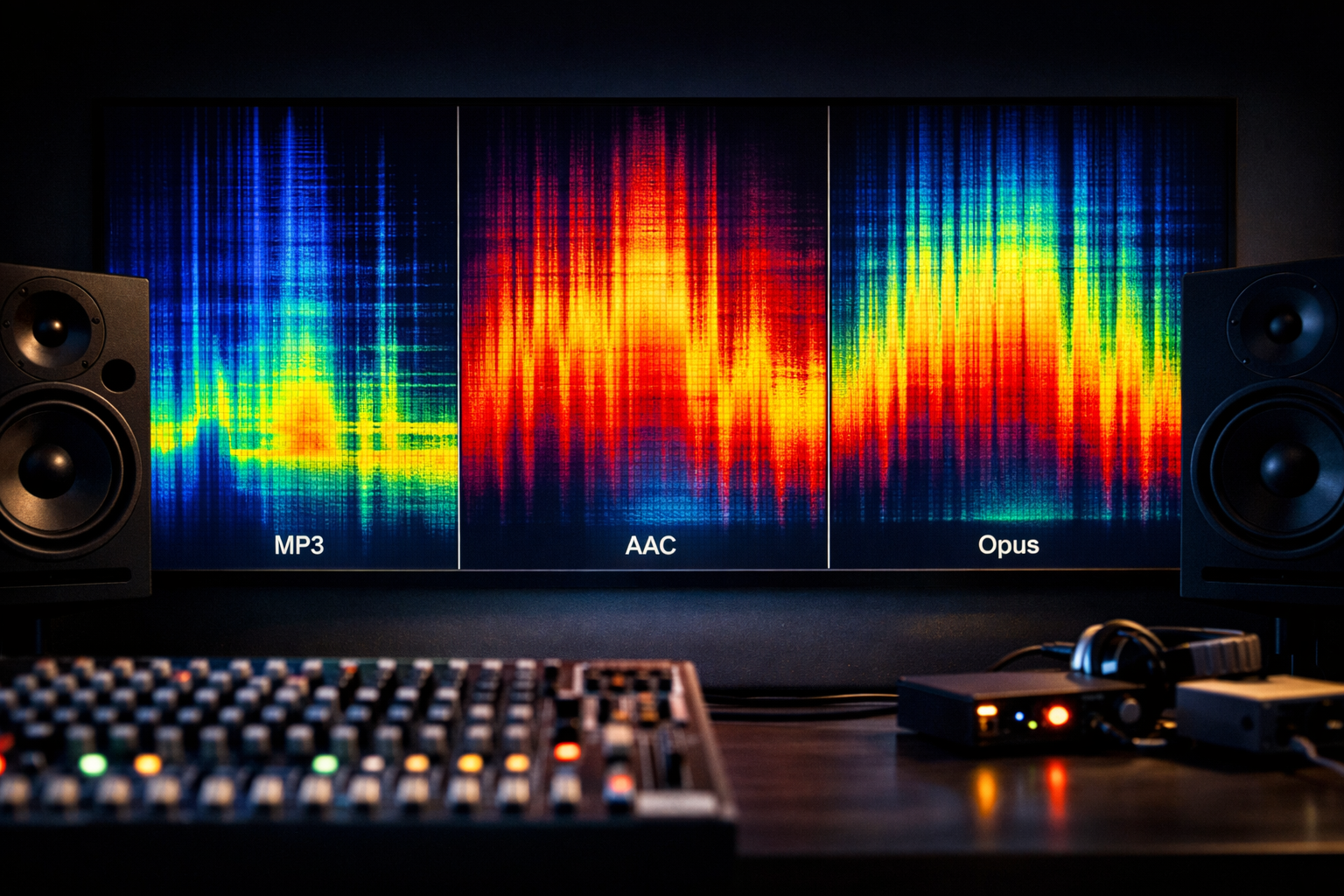
Audio codecs compared for live streaming: MP3 vs AAC vs Opus (Shoutcast & Icecast)
Codecs decide how your audio is compressed, how much bandwidth your listeners need, how stable your stream stays on mobile networks, and how “radio-like” the sound feels at common bitrates. This module compares MP3, AAC, and Opus for real-world live streaming on Shoutcast and Icecast—with settings for DJs, podcasters, churches, school radio stations, and live event streamers.
We’ll also connect codec choice to hosting realities: player/device compatibility, latency expectations (including very low latency 3 sec use-cases), and how to run a reliable station with AutoDJ, SSL streaming, and unlimited listeners on a flat-rate plan—without Wowza’s expensive per-hour/per-viewer billing.
Module outcomes
- Choose the right codec for music vs voice vs mixed content
- Understand why bitrate alone doesn’t predict quality
- Deploy compatible streams for modern browsers and legacy devices
- Apply recommended encoder settings for Shoutcast/Icecast
- Use Shoutcast Net features (AutoDJ, redundancy, SSL) to keep 24/7 uptime
Codec basics for live streaming (what actually matters)
A codec (coder/decoder) is the algorithm that converts raw PCM audio into a compressed bitstream and back again. In live streaming, the “best” codec is rarely the one with the absolute highest quality in a lab—it’s the one that balances quality per bit, compatibility, latency, CPU cost, and failure tolerance across listener devices.
What actually matters (in priority order)
- Listener compatibility: Can iOS Safari, Android, in-car systems, smart speakers, and old desktop players decode it reliably?
- Bitrate efficiency: How good does it sound at 48/64/96/128 kbps for your content?
- Stability under packet loss: Mobile listeners drop packets; some codecs conceal loss better.
- Latency budget: “Live” can mean 3–10 seconds for radio, or sub-second for interactivity. Codec framing adds delay.
- Encoder complexity: You don’t want a DJ laptop overheating mid-set.
- Licensing/IP constraints: MP3/AAC have histories of patents/licensing; Opus is royalty-free.
A quick mental model: bitrate, sample rate, and psychoacoustics
Raw CD audio is 44.1 kHz × 16-bit × 2 channels ≈ 1411 kbps. Streaming compresses that down to, say, 128 kbps by removing information the average ear won’t notice (psychoacoustic modeling). Different codecs do this differently, which is why 96 kbps Opus may compete with 128 kbps MP3—especially for speech or complex music.
Latency: where codecs fit in the delay stack
Listener delay isn’t only “the codec.” Typical end-to-end delay is: encoder lookahead + codec frame size + server buffering + player buffering + network jitter. MP3 commonly uses larger frames and older buffering defaults; AAC can be tuned; Opus supports very small frames (2.5–60 ms), which helps when you’re targeting interactive use-cases.
Mic/Mixer -> Encoder -> (Codec frames + lookahead)
                 |
                 v
          Shoutcast/Icecast server
                 |
                 v
        Player buffer/jitter buffer
                 |
                 v
              Listener
Pro Tip
Choose codec based on your weakest listener device, not your studio monitor. If you must “stream from any device to any device,” run a compatible primary stream (MP3 or AAC) and optionally a higher-efficiency stream (Opus) for modern apps.
Quick verdict: when to choose MP3 vs AAC vs Opus
MP3: maximum legacy reach, predictable workflows
Pick MP3 when you need near-universal playback: old hardware radios, embedded devices, legacy desktop players, and “it must work” scenarios. MP3 is forgiving operationally because almost every player stack has been tested against it for decades. The trade-off is lower efficiency at low bitrates and fewer modern tools for latency/packet-loss robustness.
AAC (AAC-LC / HE-AAC): the practical upgrade for most broadcasters
Pick AAC when you want better quality per bit than MP3 and strong compatibility with modern browsers and mobile devices. For music stations, AAC-LC at 96–128 kbps is a popular “sweet spot.” For voice-heavy content or low bandwidth, HE-AAC v1/v2 can deliver acceptable results at 32–64 kbps, though it can sound “processed” on music when pushed too low.
Opus: best efficiency and resilience, but compatibility varies
Pick Opus when you control the listening app/player (custom app, modern web player, certain ecosystems) and you want excellent quality at low bitrates, strong packet-loss concealment, and the option for lower delay. Opus is outstanding for speech and mixed content at 24–64 kbps. The risk: some legacy players and certain in-car systems still won’t decode it reliably, especially over classic Shoutcast-style MP3/AAC expectations.
Practical decision flow
- Need the broadest compatibility? MP3 (or AAC as a close second depending on your audience)
- Want the best “radio music” sound per bit on modern devices? AAC-LC
- Voice-first podcast/live talk at low bitrates? Opus (if compatible) or HE-AAC
- Running multiple mounts/streams? Offer MP3/AAC for legacy + Opus for modern apps
Pro Tip
If you’re migrating from legacy Shoutcast setups that only focused on MP3, don’t assume you must stay there forever. With Shoutcast Net’s flat-rate unlimited model (starting at $4/month) you can publish multiple mounts without the fear of Wowza’s expensive per-hour/per-viewer billing multiplying your cost as your audience grows.
Ready to build your station with the right codec today? Start a 7 days trial via 7 days trial and test MP3 vs AAC vs Opus with real listener devices.
Comparison table: quality, bitrate efficiency, latency, and compatibility
The table below compares commonly deployed codecs in live streaming. While the headline is MP3 vs AAC vs Opus, we include additional real-world competitors you may encounter in workflows or legacy installs. “Compatibility” is generalized—always validate your own listener mix (iOS/Android, car dashboards, smart TVs, desktop players).
| Codec | Best use | Typical live bitrates | Quality per bit | Latency potential | Player/device compatibility | Notes for Shoutcast/Icecast |
|---|---|---|---|---|---|---|
| MP3 | Music radio with maximum legacy reach | 96–192 kbps (stereo) | Medium | Medium (depends on buffers) | Excellent (near-universal) | Most compatible “default” mount; easy metadata support |
| AAC-LC | Modern music stations, mixed content | 64–160 kbps | High | Low–Medium | Very good (modern browsers/mobile) | Often the best upgrade path from MP3 without losing reach |
| HE-AAC v1/v2 | Low bandwidth streams, voice-first | 24–64 kbps | High for speech, variable for music | Low–Medium | Good on modern devices; mixed on legacy | Great “mobile data saver” mount; test music artifacts carefully |
| Opus | Speech, mixed content, modern apps, constrained bandwidth | 24–128 kbps | Very high | Very low capable (small frames) | Good in modern stacks; inconsistent on legacy/in-car | Excellent efficiency; consider offering alongside MP3/AAC |
| Vorbis | Older open-source pipelines | 64–192 kbps | Medium–High | Medium | Fair (browser support varies) | Often replaced by Opus; may appear in Icecast ecosystems |
| FLAC (lossless) | Archival/audiophile niche | 500–1200+ kbps | Lossless | Medium | Limited for casual listeners | Bandwidth-heavy; not recommended for mass live radio |
Why “latency potential” isn’t a promise
Even if Opus can run on 10–20 ms frames, your end-to-end latency can still be high if your player buffers aggressively (common in browser audio tags), or if you’re using a distribution chain designed for broadcast stability rather than interactivity. If you truly need “very low latency 3 sec” or lower, treat codec choice as one piece of a full pipeline design (buffers, transport, and player).
Pro Tip
Don’t confuse “codec latency” with “platform latency.” For interactive live events you may also evaluate workflows that bridge any stream protocols to any stream protocols (RTMP, RTSP, WebRTC, SRT, etc)—but keep a stable Shoutcast/Icecast audio stream for broad distribution and simple player embedding.
Recommended bitrates & encoder settings (radio, podcasts, church)
The “best” bitrate is the one that matches your content, audience connectivity, and compatibility goals. Below are safe, field-tested starting points. When in doubt, run two mounts: a “main” high-quality stream and a “mobile saver” stream. With Shoutcast Net’s unlimited listeners flat-rate approach, scaling audience doesn’t trigger surprise billing like Wowza’s expensive per-hour/per-viewer billing.
Music radio (DJs, school stations, live sets)
- AAC-LC 128 kbps stereo, 44.1 kHz (excellent quality/bitrate balance)
- MP3 128–160 kbps stereo, 44.1 kHz (maximum legacy reach)
- Mobile saver: AAC-LC 64–96 kbps stereo, 44.1 kHz (test artifacts on cymbals/sibilance)
Podcasts & talk radio (voice clarity first)
- Opus 32–64 kbps (great speech quality at low bitrates, if compatible with your players)
- HE-AAC 32–48 kbps (very practical for wide mobile reach)
- MP3 64–96 kbps (safe fallback for legacy clients)
Church broadcasting (speech + music + varying networks)
- Main stream: AAC-LC 96–128 kbps stereo
- Backup/mobile: HE-AAC 32–48 kbps
- If you need call-and-response timing: optimize buffers to target very low latency 3 sec (codec alone won’t do it)
Encoder settings checklist (generic)
These settings reduce common listener complaints (distortion, pumping, “swishy” highs) and help keep streams stable.
- Constant bitrate (CBR) for maximum player compatibility in live streaming
- 44.1 kHz for music stations; 48 kHz acceptable if your chain is 48k end-to-end
- Stereo for music; consider mono for speech at very low bitrates
- Disable excessive “enhancers”; use light compression/limiting instead
- Headroom: keep peaks below 0 dBFS to avoid encoder clipping
Example: liquidsoap-style output concepts (mount separation)
The goal is two simultaneous outputs: one “main” and one “mobile saver.” Your exact syntax depends on your encoder/automation tool, but the architecture is consistent.
# Pseudocode / conceptual config:
# - Main mount: AAC-LC 128k stereo
# - Mobile mount: HE-AAC 48k (or AAC-LC 64k)

output.icecast(%aac(bitrate=128, samplerate=44100, channels=2),
  host="yourserver", port=8000, password="SOURCEPASS",
  mount="/live.aac", name="Station Live AAC 128")

output.icecast(%aac(bitrate=48, samplerate=44100, channels=2, aot="he_aac"),
  host="yourserver", port=8000, password="SOURCEPASS",
  mount="/live-mobile.aac", name="Station Mobile HE-AAC 48")
Pro Tip
If your audience includes schools and churches with locked-down networks, run a conservative “works everywhere” stream (MP3 or AAC-LC) and a modern “bandwidth saver” stream. This approach helps you stream from any device to any device without forcing all listeners onto one compromise bitrate.
Shoutcast/Icecast support, HTML5 players, and listener device reality
Codec choice is constrained by how listeners actually press play: embedded website players, mobile browsers, dedicated apps, smart speakers, and in-car infotainment. Shoutcast and Icecast can deliver multiple formats, but the practical success metric is: “Does the listener’s player decode it, keep sync, and recover from network hiccups?”
HTML5 playback: what tends to work
- MP3: broadly supported via HTML5 audio across browsers
- AAC: widely supported, especially in HLS/MP4 contexts; live radio mounts can still work depending on player implementation
- Opus: supported in many modern browsers, but not universally in every embedded/legacy player stack
Device reality checklist (ask these before picking Opus-only)
- Do you have listeners using old Windows desktop players or legacy in-car receivers?
- Do you rely on third-party directory players that assume MP3?
- Is your audience mostly on modern iOS/Android with your own player/app?
- Do you need easy embedding via a basic website player?
Shoutcast vs Icecast: compatibility strategy
Many broadcasters publish the same content via Shoutcast and/or Icecast endpoints for flexibility. The safest general strategy: serve MP3 or AAC as your primary public stream, and add Opus as an optional modern stream for bandwidth savings. This avoids recreating the “legacy Shoutcast limitation” trap where a single format forces everyone into one quality level.
If you also run video or multi-platform live distribution, you can keep your audio stream simple and still expand your reach: Restream to Facebook, Twitch, YouTube while maintaining your stable radio stream for your website and apps.
Recommended multi-mount publishing pattern

                 +-------------------+
Encoder/Mixer -->|  Shoutcast Net    |--> /live.mp3        (legacy-safe)
                 |  (SSL + uptime)   |--> /live.aac        (modern sweet spot)
                 |                   |--> /live.opus       (bandwidth saver)
                 +-------------------+
Pro Tip
Don’t let compatibility uncertainty block your upgrade. Publish AAC alongside MP3 first, then add Opus for modern listeners. With Shoutcast Net you keep predictable cost—no audience-growth penalty like Wowza’s expensive per-hour/per-viewer billing—and you can iterate until you truly cover “stream from any device to any device.”
If you need an Icecast endpoint specifically, see icecast hosting options; for Shoutcast plans and features, visit shoutcast hosting.
Deploying on Shoutcast Net: AutoDJ, redundancy, and 99.9% uptime
Once you’ve chosen your codec(s), deployment is about reliability: staying online through encoder crashes, internet outages at your venue, and peak listener spikes. Shoutcast Net is built for broadcasters who want unlimited listeners, SSL streaming, and stable delivery with a predictable, flat-rate model starting at $4/month—instead of the cost volatility of Wowza’s expensive per-hour/per-viewer billing.
AutoDJ: always-on audio even when you’re not live
AutoDJ fills dead air with scheduled playlists and rotations. For school radio or churches, it’s the difference between “we stream sometimes” and “we’re a station.” You can run live shows when available, then automatically fall back to AutoDJ when the live source disconnects.
Learn more about AutoDJ and how it integrates with your live mount strategy.
Redundancy patterns (practical, not theoretical)
- Primary live encoder + AutoDJ fallback (most common, minimal complexity)
- Two encoders (studio + cloud/VPS) pointed at the same service for failover workflows
- Multiple mounts (MP3/AAC/Opus) for device coverage and bandwidth tiers
Metadata and listener experience
Codec choice doesn’t replace good station UX. Ensure your encoder sends clean metadata (artist/title), normalize loudness, and keep consistent stream names. If you run mixed content (talk + music), consider separate “shows” scheduling with AutoDJ so the stream stays branded and predictable.
Latency expectations for broadcasters
Traditional radio-style streaming often targets stability over interaction, but you can still tune for responsiveness. If your mission requires very low latency 3 sec for participation, plan the full chain: smaller encoder buffers, sensible server buffering, and a player configuration that doesn’t add unnecessary delay. For ultra-interactive workflows, some broadcasters pair radio streaming with bridging systems that support any stream protocols to any stream protocols (RTMP, RTSP, WebRTC, SRT, etc)—while keeping Shoutcast/Icecast for broad audio distribution.
Operational checklist for 99.9% uptime mindset

[ ] Use a wired connection for the encoder when possible
[ ] Keep a "mobile saver" mount for listeners on weak networks
[ ] Configure AutoDJ fallback so disconnects don't create silence
[ ] Test playback on: iOS Safari, Android Chrome, desktop, car
[ ] Enable SSL streaming links in your embeds and apps
[ ] Monitor bitrate stability and reconnect behavior
Pro Tip
Build for growth from day one. Shoutcast Net’s flat-rate unlimited model (starting at $4/month, with a 7-day free trial) means you can add mounts (MP3/AAC/Opus), enable AutoDJ, and scale to big events without cost shocks—unlike legacy Shoutcast limitations and Wowza’s expensive per-hour/per-viewer billing.
To launch now, pick a plan in the shop or start your 7 days trial. If you also want multi-platform reach, you can keep your radio stream as the “source of truth” and Restream to Facebook, Twitch, YouTube for discoverability while maintaining consistent audio quality for your core listeners.