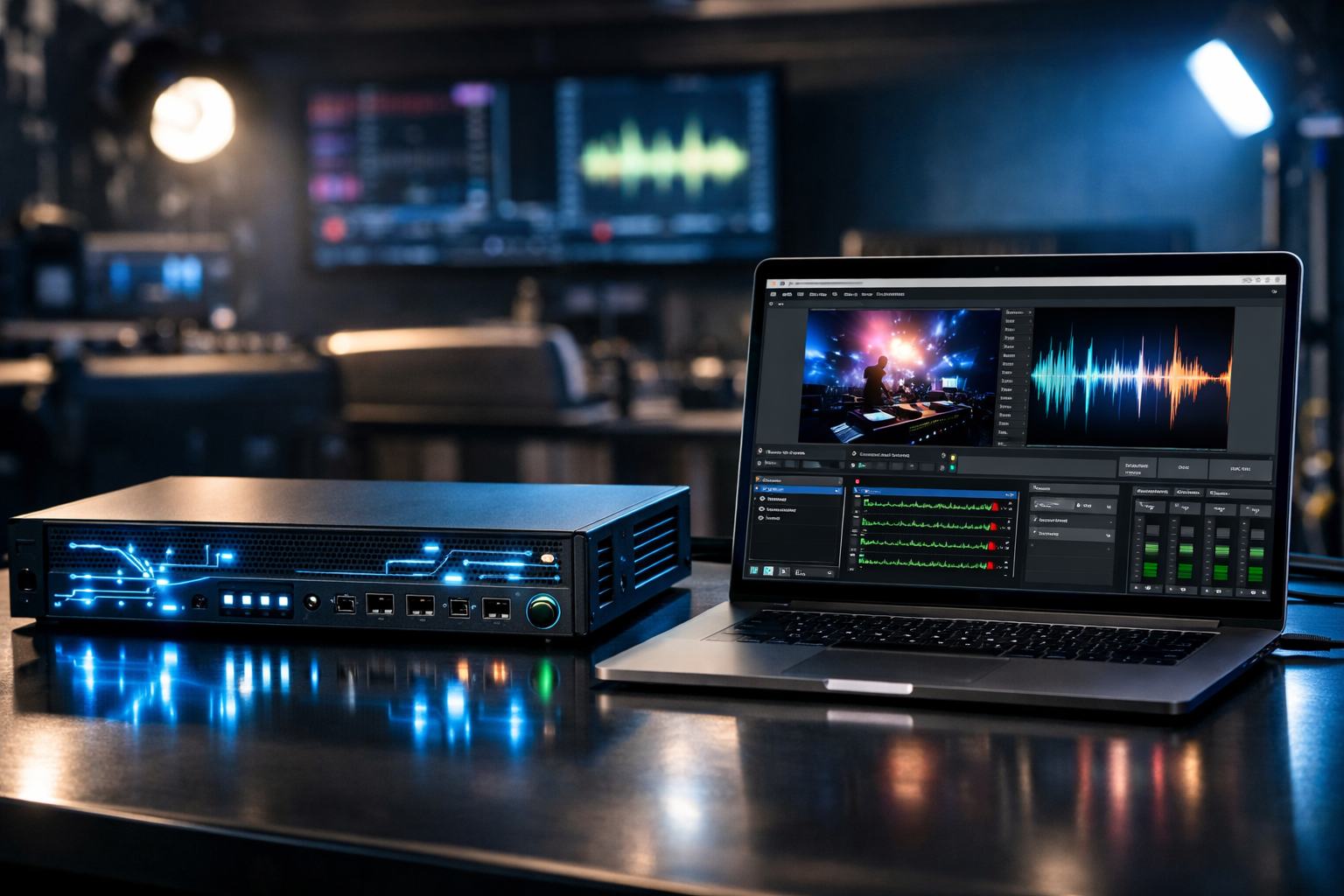
Hardware vs Software Encoders: A Detailed Comparison for Reliable SHOUTcast Streaming
If you’re running a radio station, podcast, church broadcast, school radio studio, or live event stream, your encoder choice determines three things more than almost anything else: audio quality, stability, and how painful your workflow is on show day. This module compares hardware encoders and software encoders specifically through the lens of SHOUTcast streaming (and common add-ons like AutoDJ and remote DJ workflows), so you can pick the most reliable setup for your budget and technical comfort level.
We’ll also keep it practical: which option survives Windows updates, which option is easiest to duplicate for redundancy, how AAC/MP3 behave at typical radio bitrates, and how to protect your stream from outages without paying the kind of expensive per-hour/per-viewer billing that platforms like Wowza often push—especially painful for long broadcasts or unpredictable listener spikes.
With SHOUTcast hosting from Shoutcast Net you get a flat-rate unlimited model (not per-hour/per-viewer), starting around $4/month, plus unlimited listeners, SSL streaming, 99.9% uptime, and a 7 days trial (7-day free trial) so you can validate your encoder choice under real conditions.
Module Table of Contents
- 1) Hardware Encoders: What They Are and When to Use Them
- 2) Software Encoders: What They Are and When They Win
- 3) Signal Path, Codecs, Bitrate, and Audio Quality (AAC/MP3)
- 4) Latency, Stability, Failover, and 24/7 Reliability
- 5) Hardware vs Software Encoders: Feature-by-Feature Comparison Table
- 6) Recommended Setups for Shoutcast Net (Live + AutoDJ, Remote DJs)
Quick Decision Rule
Hardware encoder if you need “appliance reliability” (church/school/event installs). Software encoder if you need maximum control, lowest cost, and rapid iteration (DJs/podcasters/stations with engineering support).
Hardware Encoders: What They Are and When to Use Them
A hardware encoder is a dedicated device (or purpose-built appliance) that takes an audio signal (analog line-in, AES/EBU, USB audio, or sometimes network audio), compresses it using a codec (like MP3 or AAC), and pushes it to your streaming server (for example, a SHOUTcast endpoint). The key design goal is deterministic behavior: limited background processes, stable drivers, and predictable performance.
Common Hardware Encoder Types
- 1U/half-rack broadcast encoders: Designed for permanent installs (church racks, school studios, venue IT closets).
- DSP-based appliances: Often run embedded Linux with a web UI; minimal maintenance.
- “Hardware” as a dedicated mini-PC: Not a traditional encoder appliance, but a locked-down NUC or fanless PC running encoder software can behave like one if configured correctly.
When Hardware Encoders Are the Best Choice
Hardware encoders win when the cost of downtime exceeds the cost of the hardware. If you’re doing weekly services, school announcements, or live events where a non-technical volunteer runs the stream, the value is not just sound quality—it’s the reduction of operational risk.
- Volunteer-operated workflows: “Power on, stream starts” beats “launch app, pick device, check levels.”
- Fixed installs: A rack encoder with balanced audio and proper grounding reduces hum/noise surprises.
- Always-on stations: Appliances often recover cleanly from reboots and power cycles.
- Isolation from DJ laptops: Your stream stays stable even if the DJ computer crashes.
Hardware Encoder Constraints (Where They Can Lose)
Hardware does not automatically mean “better.” Many appliances have limited codec/bitrate choices, fewer monitoring features, and may not integrate with modern workflows like cloud contribution or advanced routing. Some are optimized for “any stream protocols to any stream protocols (RTMP, RTSP, WebRTC, SRT, etc)” in video-centric worlds, but your SHOUTcast audio workflow is usually simpler and benefits more from stability than protocol translation.
- Feature ceilings: Limited DSP, metadata handling, or logging compared to full software stacks.
- Upgrade friction: Firmware updates may be slow, vendor-gated, or risky.
- Cost per channel: Adding redundancy can be expensive if you buy two identical appliances.
Pro Tip
If you choose a hardware encoder, still plan for server-side resilience. Pair the appliance with Shoutcast Net’s AutoDJ so your station keeps playing if the venue internet drops—your listeners hear music and IDs instead of silence.
Software Encoders: What They Are and When They Win
A software encoder runs on a general-purpose computer (Windows, macOS, Linux) and uses your system’s audio devices to capture, process, and encode audio before sending it to SHOUTcast. This can be as simple as a DJ app with a “broadcast” button, or as advanced as a modular pipeline (virtual cables, multi-bus mixing, DSP, loudness control, and automated failover).
Why Software Encoders Often Win for Creators
For radio DJs, podcasters, and music streamers, software encoders shine because you get control and observability. You can see CPU usage, audio meters, dropped frames/packets (where supported), and you can quickly change bitrates or codecs without swapping hardware.
- Cost-effective: You may already own the computer; the encoder is often free or low-cost.
- Fast iteration: Change processing chains (EQ, compressor/limiter), add jingles, route guests.
- Better metadata workflows: Easier to automate Now Playing, show titles, or podcast-style chaptering (where applicable).
- Integration with remote contribution: Bring in callers, VoIP, or remote DJ feeds and still publish one clean output.
The Hidden Risks of Software Encoders
General-purpose computers are noisy environments—updates, driver changes, USB glitches, antivirus scans, and audio device re-enumeration can break a stable stream. Most “my stream randomly dropped” incidents are not codec problems; they’re OS and device stability problems.
- Audio device changes: USB interfaces can disconnect/reconnect and shift device IDs.
- Background CPU spikes: Browser tabs, DAWs, and OS tasks can cause buffer underruns.
- Network variability: Wi‑Fi packet loss and bufferbloat can create stutters even when bandwidth looks “fine.”
Software Encoding Enables “Stream from Any Device to Any Device”
One big advantage: a software-based workflow can be built to stream from any device to any device by combining capture, mixing, and encoding across multiple computers (studio PC, DJ laptop, remote guest phone) and then publishing to SHOUTcast. You can also run parallel outputs for distribution goals like Restream to Facebook, Twitch, YouTube—often by splitting at the mixer/encoder stage (audio-only to SHOUTcast, audio+video to social platforms).
Pro Tip
Treat your software encoder PC like an appliance: disable sleep, set static audio devices, use wired Ethernet, and keep a “clean streaming user account.” Then your software setup can approach hardware reliability—while still costing less and offering more features.
Signal Path, Codecs, Bitrate, and Audio Quality (AAC/MP3)
Most listeners judge your station by one thing: how it sounds. Encoder type matters, but signal path matters more. A mediocre encoder fed by a clean, well-gained signal can beat a great encoder fed by distorted audio. Think in terms of end-to-end chain: source → mixing → processing → encoding → server → player.
A Practical SHOUTcast Audio Signal Path
MIC / MUSIC SOURCES
      |
      v
[Mixer / Audio Interface] --(balanced line, proper gain staging)-->
      |
      v
[Processing: EQ / Compressor / Limiter / Loudness]
      |
      v
[Encoder: AAC or MP3 @ chosen bitrate]
      |
      v
[Shoutcast Net SHOUTcast Server + SSL]
      |
      v
Listeners (mobile apps, web players, smart speakers, cars)
MP3 vs AAC for Typical Radio Use
MP3 remains the most universally compatible. If you need “it plays everywhere” with minimal listener friction, MP3 is a safe default. AAC (especially HE-AAC) can deliver better perceived quality at lower bitrates, which is useful if you’re optimizing for mobile data or limited uplinks.
- MP3: Great compatibility, predictable results at 128–192 kbps for music.
- AAC (LC-AAC): Often better than MP3 at the same bitrate; good at 96–160 kbps music.
- HE-AAC: Strong at low bitrates (32–64 kbps), useful for talk, backup streams, or constrained uplinks.
Bitrate, Sample Rate, and Stereo Mode
For most stations, the best “quality vs reliability” choices are conservative and consistent. Over-aggressive bitrates increase risk during network jitter and offer diminishing returns for casual listeners on phones or car stereos.
- Talk / podcasts: 64–96 kbps AAC or 96–128 kbps MP3 is typically transparent enough.
- Music: 128 kbps AAC or 160–192 kbps MP3 is a common “sounds great” range.
- Sample rate: 44.1 kHz is standard for music; 48 kHz is fine if your chain is already 48 kHz.
- Joint stereo: Often improves efficiency at moderate bitrates; test with your format.
Where Hardware vs Software Affects Audio
Pure encoding quality (psychoacoustic model) depends on the codec implementation and settings more than on whether it’s “hardware” or “software.” The real differences are usually:
- Input stage quality: Hardware appliances may have better analog I/O and clocking than cheap USB dongles.
- DSP flexibility: Software can run advanced processing chains (broadcast processing, loudness targets, multiband compression).
- Consistency: Hardware may keep levels stable by avoiding driver surprises and resampling bugs.
Pro Tip
If listeners complain about “distortion,” first check gain staging and limiter thresholds before changing encoders. Many “encoder problems” are actually clipping at the mixer, interface, or software input meter.
Latency, Stability, Failover, and 24/7 Reliability
For audio streaming, latency is rarely about lip-sync—it’s about caller timing, live interaction, and monitoring confidence. Many broadcasters aim for very low latency 3 sec, but remember: SHOUTcast-style HTTP streaming typically uses buffering to smooth the network. You can reduce latency by tuning buffers, but you must balance it against dropouts.
Latency: What You Can (and Can’t) Control
Total delay comes from the sum of capture buffers, encoder frame sizes, network jitter buffers, server buffering, and player buffering. Hardware encoders may have smaller, consistent buffers; software encoders can be tuned but are more sensitive to OS scheduling.
Stability: The Real Reason People Buy Hardware
A stable stream is a system property. A “perfect” encoder on a flaky Wi‑Fi connection fails more than an average encoder on wired fiber. That said, hardware encoders reduce the number of moving parts:
- Fewer background tasks means fewer unexpected CPU spikes.
- Known audio path avoids driver reconfiguration after OS updates.
- Automatic restart behavior is often cleaner after power loss.
Failover Strategies That Actually Work
No matter what encoder you use, plan for two failures: encoder failure and internet failure. The simplest listener-friendly solution is a server-side fallback so your station stays “alive.”
Primary Path (Live DJ):
DJ/Mixer -> Encoder -> Shoutcast Net Stream

Failover Path (Server-side):
If live disconnects -> AutoDJ playlist continues

Optional Redundancy (Second encoder):
Backup Encoder (LTE/2nd ISP) -> Same station workflow (manual/auto switch)
Shoutcast Net is built for this kind of operational reality: pair your live show with AutoDJ and your station keeps playing if the DJ laptop reboots or the venue router crashes. This is a practical advantage compared to legacy SHOUTcast limitations some hosts still impose (restricted features, outdated control panels, limited SSL support). And unlike Wowza’s common expensive per-hour/per-viewer billing, Shoutcast Net’s flat-rate model is predictable for 24/7 stations.
Protocol Hype vs Real Radio Needs
You’ll see devices advertised as able to bridge any stream protocols to any stream protocols (RTMP, RTSP, WebRTC, SRT, etc). That matters in complex video contribution/distribution. For most SHOUTcast audio broadcasters, your priority is: stable encode + stable upload + correct mount/credentials + safe failover. Keep your live audio chain simple, then add distribution complexity only when you need it (for example, to Restream to Facebook, Twitch, YouTube alongside your SHOUTcast audio stream).
Pro Tip
If you need “always-on” reliability, don’t spend your budget only on an encoder. Spend it on wired internet, a UPS, and a server plan that supports AutoDJ, SSL streaming, and unlimited listeners. Shoutcast Net’s plans start around $4/month and you can validate everything with a 7 days trial.
Hardware vs Software Encoders: Feature-by-Feature Comparison Table
The table below compares encoder approaches using common real-world competitors and categories. Note: exact feature availability depends on specific models/software versions, but these rows reflect typical broadcaster experiences when building reliable SHOUTcast workflows.
| Option / Competitor | Type | Strengths for SHOUTcast | Weaknesses / Risks | Best For |
|---|---|---|---|---|
| Dedicated Hardware Encoder Appliance (broadcast rack unit) | Hardware | Appliance uptime, predictable behavior, clean I/O, minimal maintenance | Higher upfront cost, limited DSP/features, redundancy doubles cost | Churches, schools, venues, unattended 24/7 installs |
| Barix Instreamer / Exstreamer | Hardware | “Set and forget,” reliable embedded operation, common in broadcast environments | Feature set varies by model; advanced metadata/DSP can be limited | Permanent installs needing stability over flexibility |
| Telos / Omnia streaming appliances | Hardware | Broadcast-grade processing options, designed for station-grade workflows | Premium pricing; may be overkill for small stations | Professional stations needing integrated processing |
| OBS Studio | Software | Powerful routing, can combine audio+video, great for “Restream to Facebook, Twitch, YouTube” | General-purpose PC stability; configuration complexity; audio-only workflows can be “too much” | Live event streamers, hybrid audio/video creators |
| Mixxx / VirtualDJ / DJ software broadcast outputs | Software | DJ-centric workflow, metadata/track titles, easy for music streamers | Depends on OS/audio drivers; laptop changes can break settings | Radio DJs, club-style internet stations |
| FFmpeg / Liquidsoap | Software | Automation, scripting, robust pipelines, ideal for headless Linux servers | Steeper learning curve; misconfigurations can hurt audio if not monitored | Engineering-led stations, advanced automation, redundancy builds |
| Wowza Streaming Engine / Cloud | Platform/Software | Broad protocol support, enterprise tooling in some deployments | Expensive per-hour/per-viewer billing, can be cost-inefficient for 24/7 radio; unnecessary complexity for pure SHOUTcast audio | Large orgs needing multi-protocol video workflows (not typical radio) |
| Shoutcast Net SHOUTcast Hosting | Hosting Platform | Flat-rate unlimited model, unlimited listeners, SSL streaming, AutoDJ, 99.9% uptime, starts at $4/month, includes 7 days trial | You still need a stable encoder and uplink (hardware or software) for live shows | Any broadcaster who wants predictable costs and reliable delivery |
If you’re also comparing ecosystems: Shoutcast Net is ideal when you want modern SHOUTcast features without the legacy limitations that some older SHOUTcast deployments still carry (limited SSL options, dated management, restricted add-ons). If you need a separate format or compatibility layer, Shoutcast Net can also complement icecast workflows depending on your distribution goals.
Pro Tip
Don’t overpay for platform features you won’t use. If your main goal is reliable SHOUTcast audio with predictable monthly spend, Shoutcast Net’s flat-rate unlimited model beats “metered streaming” approaches—especially when your listener count spikes during events.
Recommended Setups for Shoutcast Net (Live + AutoDJ, Remote DJs)
Below are proven deployment patterns that map well to Shoutcast Net features like AutoDJ, SSL streaming, and unlimited listener scaling. Each setup is designed to minimize show-day failure points while keeping audio quality consistent.
Setup A: “Set-and-Forget” Church or School Rack (Hardware Encoder + AutoDJ Safety Net)
Use a hardware encoder fed by a stable mixer output (post-limiter). Configure AutoDJ with a playlist so if the building internet blips or someone unplugs a cable, your station continues streaming content instead of dropping offline.
[Mixer Main Out] -> [Rack Encoder Appliance] -> (Wired Ethernet) -> Shoutcast Net
                                  |
                                  +-- If encoder disconnects:
AutoDJ continues on server- Why it works: Minimal user interaction; predictable audio; server-side continuity.
- Recommended codec: AAC 96–128 kbps for music/talk blends; MP3 128–192 kbps for maximum compatibility.
- Operational tip: Put encoder + modem/router on a UPS so brief power flickers don’t interrupt.
Setup B: DJ Laptop / Home Studio (Software Encoder + Clean “Appliance Mode” PC)
This is the most common creator workflow: one PC runs your DJ/podcast tools and broadcasts directly. The key is discipline: keep your streaming machine stable, wired, and configured like a broadcast device.
- Use wired Ethernet whenever possible (avoid Wi‑Fi jitter).
- Lock audio devices: consistent interface, stable drivers, fixed sample rate.
- Keep headroom: avoid clipping; let your limiter do the work.
- Fallback: AutoDJ fills in during reboots or internet hiccups.
This pattern supports “stream from any device to any device” because you can run your show from a laptop, a desktop, or even a secondary machine when traveling—your server endpoint stays the same, listeners stay connected, and your brand stays consistent.
Setup C: Remote DJs + Station Automation (AutoDJ as the Core, Live Overrides When Needed)
For stations with multiple DJs (especially school radio stations), the highest reliability comes from making AutoDJ the “always-on backbone” and allowing live DJs to connect when scheduled. When the live connection ends, AutoDJ resumes automatically.
AutoDJ Playlist (always running on server)
          ^
          | (Live DJ connects and takes over)
Remote DJ Encoder 1  ----\
Remote DJ Encoder 2  -----+--> Shoutcast Net Station
Remote DJ Encoder 3 ----/- Why it works: Your station never goes “offline,” even if a DJ misses a slot.
- Security: Issue unique credentials per DJ where possible; rotate passwords each semester.
- Consistency: Standardize codec/bitrate across DJs to reduce listener buffering changes.
Setup D: Live Events (Audio-Only SHOUTcast + Optional Social Restream)
If you’re covering sports, graduations, or concerts, run a stable audio-only SHOUTcast feed as your “primary radio” output, then optionally add a video workflow to Restream to Facebook, Twitch, YouTube. Keep the audio stream simple and robust; don’t let social platform changes break your main broadcast.
- Primary: Dedicated encoder (hardware or software) → Shoutcast Net.
- Optional: OBS/video encoder → social platforms.
- Latency expectation: Tune carefully if you need very low latency 3 sec; prioritize stability if your audience is mainly listening casually.
How to Choose: A Simple Scoring Method
Score each category from 1–5 (5 is best): Reliability needs, technical skill, budget, need for advanced DSP/automation, and need for rapid changes. Hardware typically wins when reliability needs are highest and technical skill is lowest. Software wins when flexibility and advanced routing are needed.
When you’re ready to build: start with a Shoutcast Net plan (flat rate, unlimited listeners, SSL, 99.9% uptime) and validate your encoder choice using the 7 days trial. If you want to add equipment later, browse the shop for streaming gear and accessories that match your workflow.
Pro Tip
Build reliability in layers: stable encoder + wired network + UPS + AutoDJ fallback + a host with flat-rate unlimited delivery. That combination usually outperforms a single expensive component—especially compared to metered platforms with expensive per-hour/per-viewer billing.
Next Steps
If your top priority is predictable cost and listener scale, start with shoutcast hosting from Shoutcast Net: plans from $4/month, unlimited listeners, SSL streaming, 99.9% uptime, plus AutoDJ for real-world failover. Test your hardware or software encoder against your actual internet connection using the 7-day free trial and confirm stability before your next major broadcast.