Multicast vs Unicast Streaming: What It Means for Your Online Radio & Live Streams
If you stream radio, podcasts, sermons, or live events, you’re already relying on a network delivery model—even if you’ve never named it. In practice, nearly all public online streaming today is unicast (one stream per listener). Multicast (one stream shared by many listeners) exists, but it typically stays inside private networks like campuses, corporate LANs, or IPTV systems.
This FAQ-style module explains how unicast and multicast work, why the public Internet rarely uses multicast, and how to choose the right setup for scaling. Along the way we’ll tie concepts back to common workflows like SHOUTcast/Icecast audio, live video, and “stream from any device to any device” delivery across web players, mobile apps, smart speakers, and set-top boxes.
If you want a flat-rate way to scale without worrying about Wowza’s expensive per-hour/per-viewer billing, Shoutcast Net focuses on practical unicast delivery with unlimited listeners, SSL streaming, 99.9% uptime, and plans starting at $4/month plus a 7 days trial.
Multicast vs Unicast: the core idea
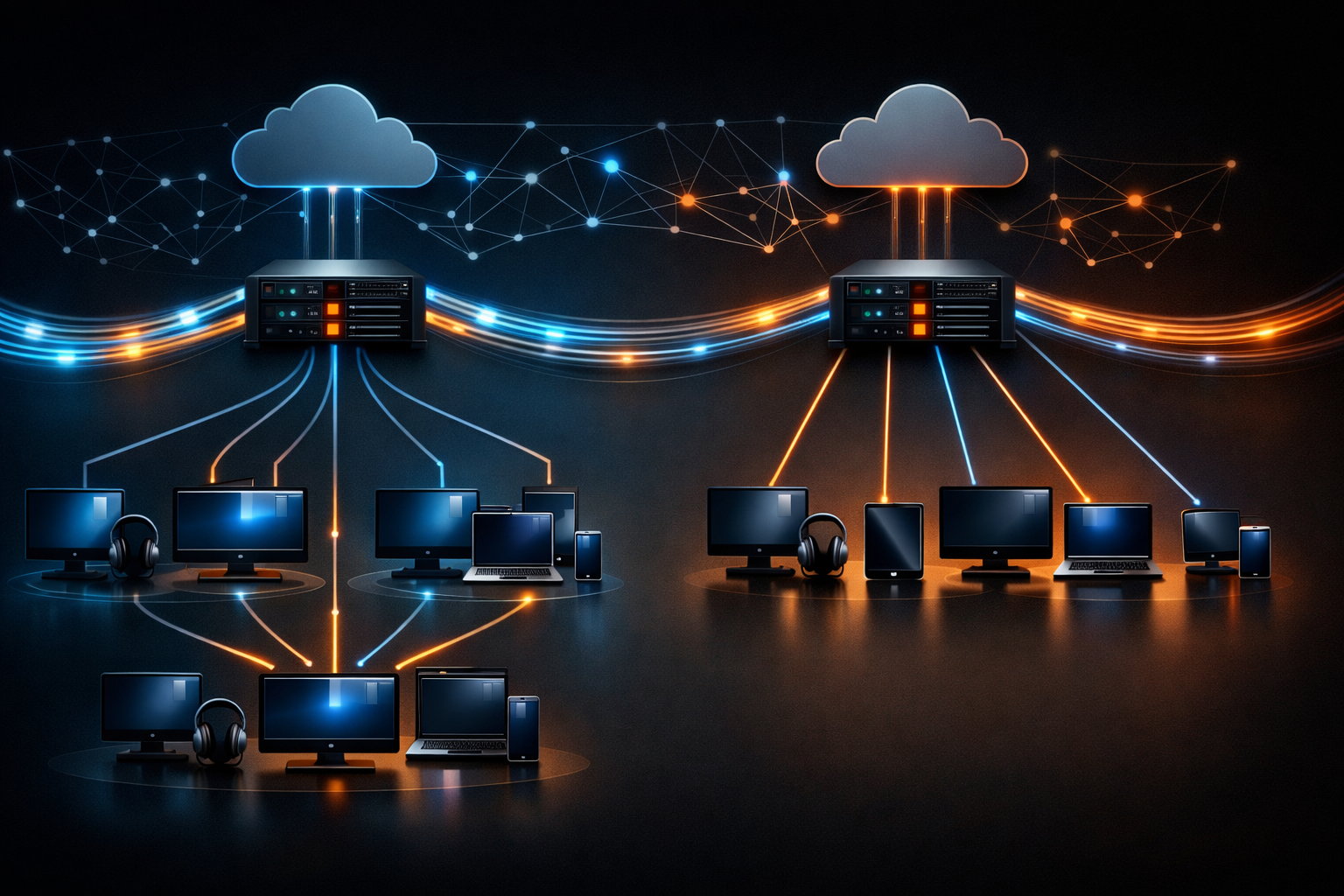
Unicast means a sender transmits a separate stream to each listener. If 500 people connect, the server (or CDN edge) maintains 500 distinct client sessions. This is how SHOUTcast/Icecast, HLS, and most DASH/WebRTC distribution on the public Internet effectively operate.
Multicast means the sender transmits one stream to a multicast group address, and the network replicates packets only where needed. Listeners “join” the group; routers/switches decide where to forward. In theory, 500 listeners can cost close to the same upstream bandwidth as 5 listeners—inside the right network.
A quick mental model
UNICAST (most Internet streaming)
 Source/Server
   |--> Listener A
   |--> Listener B
   |--> Listener C
   ...
 (N listeners = N sessions)

MULTICAST (mostly private networks)
 Source --> Multicast Group 239.x.x.x
                |
        Network replicates as needed
         /            |            \
   Listener A    Listener B    Listener C
 (N listeners ≈ 1 upstream stream)
Why this matters for broadcasters
If you’re a DJ, podcaster, church broadcaster, or school station, your biggest operational questions tend to be:
- Scaling: What happens when 20 listeners becomes 2,000?
- Reliability: Will it keep working during peaks?
- Latency: How far behind real-time will it be—can you achieve very low latency 3 sec for interaction?
- Cost: Will you be punished with per-viewer/per-hour fees (common in Wowza-style billing), or can you run flat-rate?
Pro Tip
On the public Internet, design as if you’re always doing unicast at scale. Multicast is a great tool inside managed networks, but your public listeners on mobile carriers, home Wi‑Fi, and random ISPs won’t have end-to-end multicast routing.
How unicast streaming works for Shoutcast/Icecast
Classic online radio delivery with SHOUTcast or Icecast is unicast over HTTP(S): each listener opens a TCP connection to a mount/stream endpoint, and the server sends them audio frames as they arrive. This model is simple, firewall-friendly, and works nearly everywhere (browsers, apps, car infotainment, smart speakers via skills/aggregators).
What’s happening on the wire
Most SHOUTcast/Icecast audio is MP3 or AAC/AAC+ inside an HTTP response. Metadata (track titles) is sent periodically using ICY metadata (SHOUTcast-style) or through Icecast’s metadata mechanisms. The important unicast detail: every listener gets their own TCP flow control and buffering behavior.
Practical bandwidth math (unicast)
With unicast, outbound bandwidth scales linearly with listener count:
- 128 kbps MP3 × 100 listeners ≈ 12.8 Mbps outbound (plus overhead)
- 64 kbps AAC+ × 1,000 listeners ≈ 64 Mbps outbound (plus overhead)
- 192 kbps MP3 × 500 listeners ≈ 96 Mbps outbound (plus overhead)
In real deployments, overhead (TCP/IP, HTTP headers, retransmits) and player buffering can add a few percent. This is why scaling is usually handled by optimized streaming servers and/or edge distribution rather than a single DIY host.
Latency expectations for radio-style unicast
Traditional SHOUTcast/Icecast players commonly buffer 5–30 seconds to avoid dropouts. You can tune this lower for certain players, but stability drops on congested networks. For interactive experiences (call-ins, live chat, auctions), you often need very low latency 3 sec—which typically means WebRTC or low-latency HLS/DASH in video workflows rather than classic radio buffering behavior.
Why Shoutcast Net’s model matters here
Because unicast scales with listeners, pricing models matter. Many legacy platforms (and some “enterprise video” stacks) charge like Wowza’s expensive per-hour/per-viewer billing, where success directly increases cost unpredictably. Shoutcast Net is built around a flat-rate unlimited model for streaming radio use cases, so you can promote your station without fear of surprise invoices.
Pro Tip
If you’re choosing codecs for unicast radio: AAC+ at 48–64 kbps often sounds comparable to MP3 at 96–128 kbps for many music formats. That can reduce outbound bandwidth per listener, which is the #1 lever you control in a unicast world.
Explore plans and features like AutoDJ, SSL, and unlimited listener scaling on Shoutcast hosting (or see icecast options).
How multicast works (and why the public internet rarely uses it)
Multicast is typically delivered using IP multicast (UDP) where receivers join a group (e.g., 239.0.0.0/8 for administratively scoped multicast). Devices use IGMP (IPv4) or MLD (IPv6) to signal interest, and routers use multicast routing protocols (commonly PIM) to build distribution trees.
Why multicast is efficient
In a managed LAN, multicast can be extremely bandwidth-efficient:
- The source sends one stream (say, 3 Mbps for a live HD feed).
- Switches/routers replicate only on paths where listeners exist.
- Adding the 101st viewer might add almost no upstream usage from the source.
Why the public Internet mostly avoids multicast
Even though multicast is “better on paper,” it’s rarely enabled end-to-end across ISPs because:
- Operational complexity: multicast routing at Internet scale is hard to secure and troubleshoot.
- DDoS/abuse risk: UDP-based distribution increases amplification/attack surface if misconfigured.
- Billing and business incentives: ISPs monetize bandwidth; multicast complicates accounting and peering.
- NAT and mobility: home routers, carrier NAT, and roaming clients break assumptions.
- Application compatibility: browsers and consumer players are optimized for HTTP unicast, not raw multicast UDP.
“Multicast over the Internet” alternatives
When people say “multicast-like” delivery on the Internet, they often mean:
- CDNs (many unicast edges close to users)
- Peer-to-peer assisted delivery (WebRTC-based P2P meshes for niche cases)
- Application-layer fanout (origin → relays → listeners)
These approaches keep the “it scales” feel without requiring ISP multicast routing.
Pro Tip
If your audience is inside a campus/church building, ask your IT team about IGMP snooping on switches. Without it, multicast floods ports like broadcast traffic, which can overload Wi‑Fi and cause the exact “multicast is flaky” reputation many teams experience.
# Example multicast group join concept (not SHOUTcast/Icecast)
# Receivers join: 239.10.10.10:5004 (RTP/UDP for example)
# Network uses IGMP/MLD to build forwarding state

Source Encoder --UDP/RTP--> 239.10.10.10:5004
Receivers:
  - Classroom TVs
  - Auditorium decoder
  - Admin office player
Bandwidth, cost, latency, and scaling trade-offs
Choosing unicast vs multicast is rarely ideological; it’s about constraints. Most public streaming stacks choose unicast because it works everywhere. Multicast can be superior inside controlled networks when you own the routers, switches, and client devices.
Comparison table (practical view)
| Dimension | Unicast (typical SHOUTcast/Icecast, HLS) | Multicast (typical IPTV/campus) |
|---|---|---|
| Scaling model | Outbound grows with listeners (N sessions) | Network replication; source bandwidth nearly constant |
| Internet compatibility | Excellent (HTTP/TCP passes NAT/firewalls) | Poor on public Internet (routing, NAT, policy) |
| Reliability | High with mature servers/CDNs; TCP retransmits | Depends on LAN config; UDP loss can hurt quality |
| Latency | Audio often 5–30s; video varies by protocol | Can be low on LAN; often seconds if tuned |
| Cost predictability | Depends on host model; flat-rate is ideal | Often “free” bandwidth inside LAN but higher setup cost |
| Operational complexity | Low to moderate | Moderate to high (IGMP, PIM, QoS, Wi‑Fi tuning) |
Latency: protocol matters more than unicast vs multicast
Latency is often driven by segmenting and buffering choices rather than “unicast vs multicast” alone:
- SHOUTcast/Icecast: continuous stream; player buffering dominates (stable but not ultra-low).
- HLS/DASH: segmented; traditional configurations add 15–45s, low-latency modes can reduce to ~2–6s.
- WebRTC: designed for real-time; commonly used to target very low latency 3 sec and below.
Scaling beyond “one box”
When your unicast audience grows, you scale using:
- Higher-capacity streaming servers optimized for many concurrent listeners.
- Relay networks (origin → relays → listeners) to reduce load and add geographic proximity.
- Multi-protocol output for different devices and latency targets.
Pro Tip
If you’re comparing vendors, ask how pricing behaves when you go viral. Wowza’s expensive per-hour/per-viewer billing can turn a successful weekend event into a budget problem. Shoutcast Net’s flat-rate unlimited model is designed so higher listener counts don’t automatically mean higher bills.
For broadcasters who want flexibility, modern streaming stacks often bridge any stream protocols to any stream protocols (RTMP, RTSP, WebRTC, SRT, etc) so you can ingest one way (e.g., SRT from the field) and deliver another (e.g., HLS to web, AAC to radio apps).
Use cases: DJs, churches, events, IPTV, and campuses
DJs and music streamers
For DJs, the winning formula is usually unicast SHOUTcast/Icecast because it’s universally compatible and simple. You can broadcast live from a laptop/controller setup, and fall back to AutoDJ playlists when you’re off-air. The audience may be global, and that immediately favors unicast over LAN multicast.
- Best fit: Unicast
- Typical bitrates: 48–128 kbps AAC+/MP3 depending on genre and audience bandwidth
- Key feature: AutoDJ to keep the station live 24/7
Church broadcasters (remote congregation + on-campus overflow)
Churches often have two audiences: remote listeners/watchers on the Internet and overflow rooms on-site. A hybrid approach can make sense:
- Internet viewers/listeners: unicast via hosting/CDN-like distribution
- On-campus TVs: multicast (or managed unicast) inside the LAN for efficiency
If the goal is interaction (moderated chat, Q&A, prayer lines), prioritize delivery modes that can hit very low latency 3 sec where required. For purely “watch along,” higher buffering is acceptable.
Live events and festivals
Events care about reliability under load and distribution to multiple platforms. Your production might ingest RTMP/SRT from the venue, then output multiple renditions and destinations, including “Restream to Facebook, Twitch, YouTube” for discovery while keeping your primary player on your site/app.
In practice, that is unicast delivery at the edges, even if you use efficient contribution links upstream.
IPTV and campuses (where multicast shines)
If you control the network—schools, universities, hotels, hospitals—multicast can dramatically reduce backbone traffic for “same content to many screens” scenarios (announcements, classroom channels, sports).
- Best fit: Multicast on LAN + unicast gateway for remote access
- Requirements: IGMP snooping, multicast routing (PIM), QoS, and compatible receivers
Pro Tip
A common “best of both worlds” pattern is: multicast inside the venue/campus for efficiency, and unicast to the public for compatibility. If you’re a school station, you can multicast to dorm TVs while simultaneously serving unicast to alumni worldwide.
No matter the audience type, the operational goal is the same: stream from any device to any device without forcing listeners to install special network tooling.
Choosing your streaming setup with Shoutcast Net
For most Shoutcast Net customers—radio DJs, podcasters, churches, and live event streamers—the correct default is unicast delivered through a reliable hosting platform. The key is choosing a provider that makes unicast affordable at scale, supports modern security expectations, and avoids legacy constraints.
What to look for (practical checklist)
- Flat-rate scaling: avoid Wowza’s expensive per-hour/per-viewer billing when your audience grows.
- Unlimited listeners: don’t cap your success.
- SSL streaming: HTTPS/TLS compatibility for modern browsers and embedded players.
- Automation: built-in AutoDJ for 24/7 programming.
- Reliability: target 99.9% uptime or better.
- Modern flexibility: ability to bridge any stream protocols to any stream protocols (RTMP, RTSP, WebRTC, SRT, etc) as your workflow evolves.
Avoiding “legacy SHOUTcast limitations”
Some older SHOUTcast deployments are constrained by outdated server tuning, lack of TLS/modern player compatibility, and limited automation/management features. A modern hosting approach helps you keep the simplicity of SHOUTcast-style streaming while removing those limitations—especially around secure delivery (SSL), listener scaling, and always-on programming via AutoDJ.
Example: simple broadcaster-to-server workflow (unicast radio)
DJ Laptop (Encoder: BUTT / Mixxx / SAM / etc)
   |
   |  Source connection (MP3/AAC over HTTP)
   v
Shoutcast Net Stream Server
   |
   |  Unicast HTTP(S) to each listener
   v
Listeners: iOS/Android apps, web player, smart speakers, car systems
Cost and getting started
If you want predictable budgeting, Shoutcast Net plans start at $4/month with a 7 days trial so you can test encoder settings, metadata, and player behavior before committing. Compared to providers that punish growth with usage billing, a flat-rate model is friendlier to promotions, special events, and seasonal peaks.
To launch quickly:
- Pick Shoutcast hosting (or icecast if your ecosystem prefers it).
- Enable AutoDJ to cover off-hours.
- Use SSL streaming links in your website/app players.
- If you also do video, plan for multi-output distribution, including “Restream to Facebook, Twitch, YouTube”.
Pro Tip
For growth, optimize what you control first: codec/bitrate choice, metadata hygiene, and player compatibility. Then choose hosting that won’t penalize popularity—Shoutcast Net’s unlimited listeners + flat-rate approach is built for real broadcasters, not enterprise-style metered billing.
Ready to set up your stream? Visit the shop to pick a plan, or start with the 7 days trial to validate your workflow end-to-end—encoder to listener—so you can confidently stream from any device to any device.