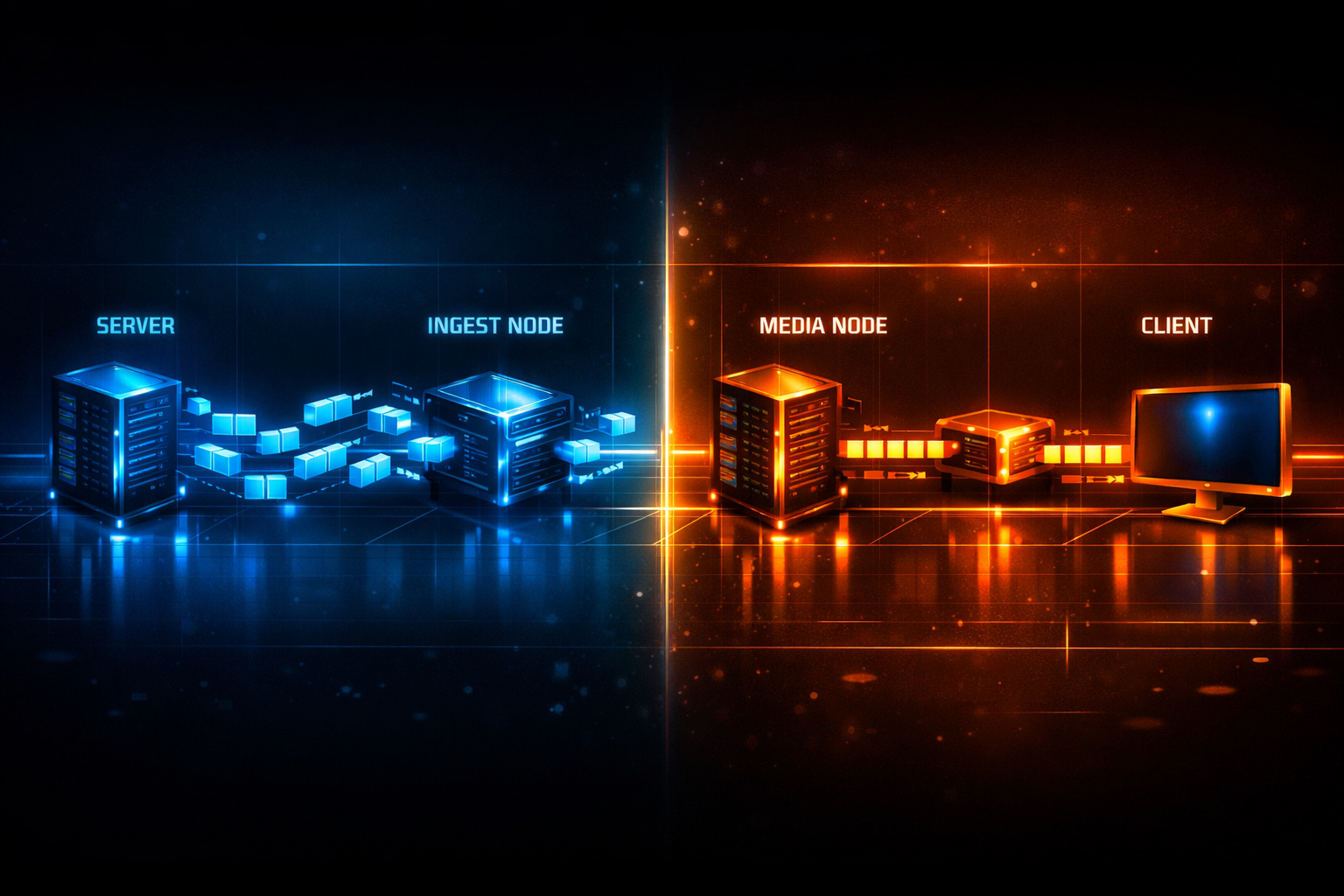
RTMP vs WebRTC: Choosing the Best Low-Latency Live Streaming Protocol
If you’re a radio DJ, music streamer, podcaster, church broadcaster, school station, or live event producer, you’re usually balancing three competing goals: low latency, reliable delivery, and workflow compatibility. RTMP and WebRTC sit at opposite ends of that spectrum—RTMP is the classic “studio-to-platform ingest” workhorse, while WebRTC is the modern “interactive, sub-second to the browser” transport.
This module explains how each protocol works under the hood, where delay is introduced, and how to build real-world architectures around them—especially when your distribution endpoint is a Shoutcast/Icecast-style audio stream for unlimited listeners. You’ll also see how Shoutcast Net’s flat-rate model compares favorably against Wowza’s expensive per-hour/per-viewer billing and legacy Shoutcast limitations, while still supporting professional workflows and growth.
When you’re ready to go live, start with 7 days trial and test your full chain (encoder → server → player) end-to-end.
Module outcomes
- Pick RTMP or WebRTC based on latency, scale, and gear.
- Understand ICE/STUN/TURN vs RTMP handshakes and buffering.
- Design a workflow to stream from any device to any device.
- Plan cost and scaling using Shoutcast Net’s flat-rate unlimited approach.
Table of contents
- RTMP vs WebRTC: the quick decision matrix
- How RTMP works (ingest, transport, and where latency comes from)
- How WebRTC works (ICE/STUN/TURN, SRTP, and sub-second delivery)
- Latency, quality, scale, and security trade-offs for real broadcasts
- Compatibility and workflows: OBS, browsers, mobile, and studio gear
- Recommended architectures for DJs, churches, and station owners (with Shoutcast Net)
RTMP vs WebRTC: the quick decision matrix
The fastest way to choose is to decide whether you need interactive, sub-second delivery to a browser (WebRTC), or simple, widely-supported ingest from encoders (RTMP). Many professional stacks use both: RTMP as ingest, and WebRTC (or HLS/DASH) as viewer delivery. For audio-first broadcasters, Shoutcast/Icecast distribution can still be the best “radio-style” delivery for scale, simplicity, and compatibility.
| Requirement | Choose RTMP | Choose WebRTC |
|---|---|---|
| Latency target | ~2–10s typical (can be tuned, but not truly sub-second) | Sub-second typical; interactive feel |
| Primary use | Ingest from OBS/encoders to a server | Delivery to browsers/apps; real-time rooms |
| Browser playback | Not native (needs a gateway to HLS/WebRTC/etc.) | Native in modern browsers (with constraints) |
| NAT traversal | Simpler; typically TCP 1935 or TLS 443 via RTMPS | Complex: ICE/STUN/TURN, UDP preference, fallbacks |
| Scaling to many viewers | Not ideal for viewer fan-out | Needs SFU/MCU; can scale well but requires more infrastructure |
| Audio radio distribution | Often used only to feed a transcode/origin | Often paired with an audio stream output for “radio mode” |
| Operational simplicity | High (stable, mature tooling) | Medium (more moving parts, harder debugging) |
| Best for | DJs, churches, schools needing reliable ingest workflows | Live call-ins, auctions, real-time Q&A, remote guests |
If your audience is “many listeners, low friction,” a Shoutcast/Icecast stream remains a strong baseline: players everywhere, cheap bandwidth, and predictable scaling. Shoutcast Net starts at $4/month, includes 99.9% uptime, SSL streaming, and unlimited listeners—and avoids Wowza’s expensive per-hour/per-viewer billing.
Pro Tip
Treat RTMP as the “cable” from your studio and WebRTC as the “walkie-talkie” to your audience. If your show needs call-ins or instant reactions, add WebRTC for interaction—but keep a Shoutcast/Icecast audio stream as your reliable, scalable “radio feed.”
One sentence decisions
- Pick RTMP when you need maximum encoder compatibility and dependable ingest from OBS or hardware gear.
- Pick WebRTC when the audience must be “in the room” with you in real time and sub-second delay matters.
- Pick both when you want reliable ingest plus real-time guests/call-ins, then fan-out via a scalable stream format.
How RTMP works (ingest, transport, and where latency comes from)
RTMP (Real-Time Messaging Protocol) was popularized by Flash and is still widely used as a live ingest protocol. Even when your viewers watch via HLS/DASH/WebRTC, many platforms still accept RTMP from your encoder because it’s predictable and well-supported. RTMP typically rides over TCP (port 1935) or over TLS as RTMPS (often port 443).
RTMP session basics (handshake, chunks, timestamps)
An RTMP publisher (OBS, Wirecast, hardware encoder) opens a TCP connection and performs a handshake (C0/C1/C2 with S0/S1/S2), then creates an RTMP application connection and publishes a stream key. Media is carried as messages (audio/video) split into chunks with timestamps. Because it’s TCP, delivery is ordered and reliable—but that reliability can add delay when packets are lost (head-of-line blocking).
Publisher (OBS)                 RTMP Server
   |--- TCP connect ---------->|
   |--- C0+C1 ---------------->|
   |<-- S0+S1 -----------------|
   |--- C2 ------------------->|
   |<-- S2 --------------------|
   |--- connect(app) --------->|
   |<-- _result ---------------|
   |--- createStream --------->|
   |<-- _result(streamId) -----|
   |--- publish(streamKey) --->|
   |--- audio/video chunks --->|
Where RTMP latency really comes from
RTMP itself can be “near-real-time,” but practical live latency is dominated by the encoder and the player path. Common contributors:
- GOP/Keyframe interval: If you encode 2-second keyframes, downstream packagers and players may wait for a keyframe boundary.
- Encoder VBV buffering: Rate control smooths bitrate by buffering; larger buffers increase delay.
- TCP retransmissions: Loss triggers retransmits; delay spikes are common on shaky uplinks.
- Transmux/transcode stages: If RTMP is ingested then transcoded to ABR ladder (e.g., HLS), latency becomes “segment + playlist + player buffer.”
- Player buffering defaults: Many players target stability over speed, especially on mobile.
RTMP in real workflows: why it’s still everywhere
RTMP’s strength is that it “just works” with studio tools. OBS can publish RTMP in minutes; hardware encoders speak RTMP reliably; and many contribution links assume RTMP as the final hop. For broadcasters, it’s a clean way to get a live feed into a distribution system that then outputs Shoutcast/Icecast audio streams or web players.
RTMP tuning checklist (practical settings)
If your goal is “as low as RTMP reasonably gets” while staying stable, start here:
- Keyframe interval: 1–2 seconds (e.g., 2s for compatibility, 1s if your downstream benefits).
- CBR-ish bitrate with modest VBV: avoid huge buffer sizes.
- Audio: 48 kHz AAC-LC (or Opus if your chain supports it downstream) for clean voice/music.
- Network: prefer wired uplink; avoid Wi‑Fi congestion; monitor packet loss.
- RTMPS: use TLS when supported to avoid enterprise/firewall blocking and to improve security.
# OBS-style guidance (conceptual)
Keyframe Interval: 2s
Rate Control: CBR
Video Bitrate: (match uplink with headroom)
Audio Codec: AAC
Audio Bitrate: 128-192 kbps (music), 96-128 kbps (talk)
Audio Sample Rate: 48 kHz
For many “broadcast radio” use cases, you don’t need sub-second latency; you need predictable uptime and scale. That’s where Shoutcast Net shines with shoutcast hosting and optional AutoDJ for always-on programming.
Pro Tip
If your audience complains about “delay,” measure it before you rebuild your stack. Record a timestamped cue (“beep now”) and compare on a phone. Often the biggest gains come from reducing player buffering and avoiding extra transcode hops—not from replacing RTMP itself.
RTMP is best viewed as a rugged ingest pipe. If your end goal is sub-second interactive, you’ll usually convert to WebRTC on the server side rather than trying to make RTMP behave like WebRTC.
How WebRTC works (ICE/STUN/TURN, SRTP, and sub-second delivery)
WebRTC is a real-time communication stack designed for low delay and interactivity. Unlike RTMP, WebRTC is not just a media transport—it includes connection establishment, NAT traversal, encryption, jitter buffering, and congestion control. WebRTC typically uses UDP for media (when possible) and secures content with DTLS-SRTP (media encrypted end-to-end between peers and SFUs).
The WebRTC connection sequence (signaling + ICE)
WebRTC requires signaling (your app/server exchanging SDP offers/answers) and then runs ICE to find a working network path between endpoints. ICE uses: STUN to discover public-facing addresses, and TURN as a relay when direct connectivity fails (common on strict networks).
Browser A                      Signaling Server                    Browser B
   |--- SDP Offer ------------------>|                                  |
   |<-- SDP Answer ------------------|<-------------------------------  |
   |--- ICE candidates ------------->|--- ICE candidates ------------->|
   |<-- ICE candidates -------------|<-- ICE candidates --------------|
   |======== DTLS handshake / keys exchanged ========>                 |
   |================== SRTP media (UDP preferred) ====================>|
Why WebRTC can feel “instant”
WebRTC is engineered to minimize buffering: small packetization intervals, adaptive jitter buffers, and real-time congestion control that trades quality for continuity. This is why it’s the go-to for live call-ins, remote guests, and interactive streams where very low latency 3 sec is still “too slow.” In many cases, WebRTC can deliver in hundreds of milliseconds to ~1 second—depending on geography and relay usage.
SFU vs MCU: scaling WebRTC beyond a few viewers
Point-to-point WebRTC doesn’t scale to big audiences. For one-to-many, you introduce a media server:
- SFU (Selective Forwarding Unit): forwards streams; viewers receive one or more encodings. Lower latency, lower CPU on server.
- MCU (Multipoint Control Unit): mixes/transcodes into a composite. Higher CPU, sometimes simpler clients.
For broadcasters who need “interactive for a few, scalable for many,” a common pattern is: WebRTC for guests/callers into an SFU, then convert the program output to a scalable distribution format (HLS/DASH or Shoutcast/Icecast for audio). This hybrid approach is a practical interpretation of any stream protocols to any stream protocols (RTMP, RTSP, WebRTC, SRT, etc)—use the right protocol for each hop.
WebRTC audio codecs and broadcast sound
WebRTC commonly uses Opus, which is excellent for voice and performs well for music at higher bitrates. However, “broadcast consistency” sometimes favors AAC/MP3 endpoints for maximum player compatibility. That’s why many stations use WebRTC for contribution/interaction, then publish a final AAC/MP3 stream for listeners (web players, apps, smart speakers).
// Conceptual SDP hints you may see (simplified)
m=audio 9 UDP/TLS/RTP/SAVPF 111
a=rtpmap:111 opus/48000/2
a=ice-ufrag:...
a=ice-pwd:...
a=fingerprint:sha-256 ...
Pro Tip
If WebRTC viewers randomly “won’t connect,” suspect TURN first. Churches and schools often sit behind restrictive NAT/firewalls. Budget for TURN relay bandwidth, and test from campus Wi‑Fi and cellular. WebRTC is powerful—but it rewards disciplined network testing.
WebRTC is the best tool for real-time interaction. But for “radio-style” continuous listening at scale, pairing it with Shoutcast/Icecast distribution is often the most cost-effective path.
Latency, quality, scale, and security trade-offs for real broadcasts
In production, protocol choice is less about hype and more about how the entire system behaves under load: uplink variability, audience size, device mix, moderation needs, and budget. Let’s break down the trade-offs that matter to DJs, churches, and stations.
Latency: what you can actually achieve
WebRTC is the leader for sub-second interaction. RTMP can be low-ish in controlled environments, but the moment you add packaging/transcoding for broad playback, latency rises. For “radio,” a few seconds rarely hurts—unless you’re syncing to in-person events, live auctions, or real-time call-and-response.
- RTMP ingest: low contribution delay, but viewer delay depends on your delivery format.
- WebRTC delivery: best for instant feedback, live guests, and remote production.
- Shoutcast/Icecast audio: typically a few seconds to tens of seconds depending on player buffering, but scales extremely well.
Quality under bad networks: TCP stability vs real-time adaptation
RTMP over TCP favors completeness: it would rather stall than drop. WebRTC favors immediacy: it would rather degrade quality than fall behind real time. That’s why a DJ set might “sound perfect but delayed” via RTMP→HLS, while WebRTC might keep up but occasionally soften audio/video during congestion.
Scale: 50 listeners is not 50,000 listeners
WebRTC at scale typically requires an SFU layer and careful bandwidth planning. RTMP is rarely used to fan-out directly to viewers. For mass listening, Shoutcast/Icecast shines because it’s designed for one-to-many audio delivery. With Shoutcast Net you get unlimited listeners and a flat rate, avoiding Wowza’s expensive per-hour/per-viewer billing that can surprise you when a sermon or school game goes viral.
Security and privacy: encryption, tokens, and SSL streaming
WebRTC encrypts media by default using SRTP with DTLS key exchange. RTMP can be plaintext unless you use RTMPS. For public-facing audio streams, HTTPS/SSL matters too—modern browsers and networks increasingly expect encryption. Shoutcast Net supports SSL streaming so your players and embedded sites can serve audio without mixed-content warnings.
Cost model reality: predictable flat-rate vs usage billing
Live streaming infrastructure costs can be either predictable or chaotic. Usage-based models (per-hour, per-viewer, egress-based add-ons) are common in enterprise stacks. That’s where many creators get burned—especially with platforms like Wowza’s expensive per-hour/per-viewer billing. Shoutcast Net is built for broadcasters who want a simple plan: $4/month starting price, 99.9% uptime, and unlimited listeners—with a 7 days trial to validate your chain.
| Category | RTMP | WebRTC |
|---|---|---|
| Typical role | Contribution/ingest | Real-time delivery + contribution |
| Encryption | Optional (RTMPS) | Mandatory (DTLS-SRTP) |
| Network behavior | TCP reliable, can stall | UDP real-time, adapts quality |
| Operational complexity | Lower | Higher (ICE/STUN/TURN, SFU) |
| Mass audience fit | Poor by itself | Good with SFU + egress strategy |
Pro Tip
Don’t confuse “protocol latency” with “glass-to-glass latency.” Measure from microphone input to a listener’s speaker. A well-built stack can keep contribution tight and then choose the right distribution: WebRTC for interactive guests, and Shoutcast/Icecast for reliable mass listening.
The best broadcast systems don’t pick a single protocol; they design a chain that meets human expectations: stable audio, simple playback, and latency appropriate to the event.
Compatibility and workflows: OBS, browsers, mobile, and studio gear
Workflow compatibility is where RTMP remains dominant. Most creators already know how to push RTMP from OBS, and many mixers/encoders output RTMP with minimal setup. WebRTC, on the other hand, is natively compatible with browsers—but production-grade control often needs a platform or a media server.
OBS and encoder workflows
OBS → RTMP is the classic path: set server URL + stream key, click Start Streaming. It’s reliable for DJs mixing audio, churches switching cameras, and school stations doing morning announcements. If you need to Restream to Facebook, Twitch, YouTube, RTMP is the common denominator because those platforms accept RTMP ingest.
For audio-only broadcasting, Shoutcast/Icecast can be even simpler: an encoder (software or hardware) pushes a single audio stream that plays nearly everywhere. If you want automation when you’re off-air, add AutoDJ using AutoDJ.
Browser playback: why WebRTC wins for instant listening
WebRTC runs directly in the browser with low delay and can support two-way audio/video. That makes it excellent for: call-ins, remote guests, language translation booths, and backstage producer talkback. The trade-off is that you’ll need a WebRTC-capable service and often an SFU, plus TURN for hard networks.
Mobile and “real listeners” constraints
Mobile networks fluctuate. WebRTC adapts but can drain battery and is sensitive to backgrounding rules. For passive listening (commuters, long sessions), a Shoutcast/Icecast stream can be more resilient and user-friendly. Many stations offer both: “Live Studio (Interactive)” via WebRTC and “Radio Stream” via Shoutcast.
Studio gear: mixers, codecs, and IP links
Hardware encoders and broadcast codecs tend to integrate more naturally with RTMP, SRT, and RTSP than with WebRTC. WebRTC can be integrated, but it’s usually via a gateway. If your station already owns gear, don’t throw it out—use RTMP/SRT contribution into a server, then deliver as needed.
A compatibility mindset: “stream from any device to any device”
The most future-proof workflow is not “RTMP only” or “WebRTC only,” but a bridge architecture that can stream from any device to any device. In practice, that means accepting contribution via common protocols and outputting to whatever your audience can play. This is the operational meaning of any stream protocols to any stream protocols (RTMP, RTSP, WebRTC, SRT, etc).
Contribution options:                 Distribution options:
- OBS (RTMP/RTMPS)                   - Shoutcast (MP3/AAC) for radio scale
- Hardware encoder (RTMP/SRT/RTSP)   - Icecast for flexible audio streaming
- Remote guests (WebRTC)             - WebRTC for interactive rooms
                                     - Social platforms (RTMP): Facebook/Twitch/YouTube
If you need classic radio hosting, see shoutcast hosting or icecast. Shoutcast Net removes legacy Shoutcast limitations and keeps costs predictable with a flat-rate unlimited model—unlike Wowza’s expensive per-hour/per-viewer billing.
Pro Tip
If your priority is “press one button and go live,” start with RTMP ingest from OBS and a Shoutcast/Icecast audio stream for listeners. Add WebRTC only when you have a clear interactive requirement (call-ins, live guests, real-time moderation), because ICE/TURN adds operational overhead.
Compatibility is a feature. The best protocol is the one your team can operate flawlessly week after week.
Recommended architectures for DJs, churches, and station owners (with Shoutcast Net)
Below are proven architectures that match real broadcaster needs: stable audio, scalable listening, optional interaction, and predictable pricing. Each design can be implemented incrementally—start simple, then add WebRTC or restreaming as your show grows. Shoutcast Net’s advantages (starting at $4/month, 99.9% uptime, SSL streaming, unlimited listeners, and AutoDJ) make it ideal as the “always-on” distribution layer.
Architecture A: DJ or podcaster “radio-first” (simple, scalable)
This is the best starting point for music streaming and talk radio. You run a single high-quality audio stream and let Shoutcast Net scale it to as many listeners as you can attract. When you’re off-air, AutoDJ keeps your station live with scheduled playlists and rotation.
[Mic/Mixer] --> [Encoder] --> (SSL) --> [Shoutcast Net]
                                   |
                                   +--> Web player / Apps / Smart speakers

Optional:
[AutoDJ library] --> [Shoutcast Net AutoDJ] --> listeners- Best for: DJs, internet radio, school stations, podcasts doing live episodes.
- Why it works: minimal moving parts; excellent scale; predictable cost.
- Get started: shoutcast hosting + optional AutoDJ.
Architecture B: Church broadcast with “interactive backstage”
Churches often need two experiences: (1) a stable public stream for the congregation, and (2) a low-latency coordination channel for volunteers, remote speakers, or translators. Use WebRTC for backstage communication, but keep the public distribution on Shoutcast/Icecast for reliability and reach.
Backstage (interactive):
[Remote guest] <== WebRTC ==> [SFU/Room] <== WebRTC ==> [Producer browser]

Public (scalable audio):
[Mixer program out] --> [Encoder] --> [Shoutcast Net] --> listeners- Best for: sermons, worship, multi-room coordination, guest speakers.
- Latency expectation: WebRTC can be sub-second; public audio stream may be several seconds (often acceptable).
- Security: keep backstage rooms authenticated; use SSL streaming for public endpoints.
Architecture C: Live events + social platforms (RTMP restreaming)
If discoverability matters, you’ll want to push your show to multiple platforms. RTMP is the standard ingest for social. A practical design is to run a primary “station stream” and also Restream to Facebook, Twitch, YouTube. Your owned channel (Shoutcast/Icecast) remains the stable home base without platform algorithm risk.
[OBS] --RTMP--> [Restreamer/Distributor]
                  |--RTMP--> Facebook
                  |--RTMP--> Twitch
                  |--RTMP--> YouTube
                  |
+--Audio--> [Shoutcast Net] --> unlimited listeners- Best for: festivals, sports commentary, school events, community radio promotions.
- Why it works: RTMP is universally accepted for ingest; Shoutcast stream is your scalable, branded listener endpoint.
- Cost control: Shoutcast Net stays flat-rate unlimited, unlike Wowza’s expensive per-hour/per-viewer billing during spikes.
Architecture D: Hybrid “RTMP ingest + WebRTC interactive preview”
Some producers want near-instant monitoring on-site (stage manager, hosts) while still using RTMP ingest. A gateway can convert RTMP to WebRTC for a low-latency confidence feed, while listeners get the traditional stream. This is a practical application of any stream protocols to any stream protocols (RTMP, RTSP, WebRTC, SRT, etc).
[OBS] --RTMP--> [Media Server/Gateway] --WebRTC--> [Stage monitor browser]
                         |
                         +--> [Shoutcast Net audio stream] --> listeners
This design gives you “producer-grade monitoring” without forcing every listener into a WebRTC session. You keep operational simplicity for distribution while enabling real-time control where it matters.
Choosing Shoutcast vs Icecast on Shoutcast Net
If you’re building an audio-first station, you may choose either Shoutcast or Icecast depending on your players and tooling. Shoutcast is widely recognized for internet radio directories and classic station workflows. Icecast is flexible and commonly used in open ecosystems. Shoutcast Net supports both: see shoutcast hosting or icecast.
Why Shoutcast Net fits low-latency decisions (even when WebRTC is involved)
Even if you adopt WebRTC for interactive segments, you still need a scalable “broadcast output” for the majority of listeners. Shoutcast Net offers:
- $4/month starting price with predictable flat-rate billing.
- 7-day free trial and a clear 7 days trial on-ramp for testing.
- 99.9% uptime for stations that must stay on-air.
- SSL streaming for modern web and network compatibility.
- Unlimited listeners to handle viral moments without panic.
- AutoDJ for automation and always-on programming.
Compared to legacy Shoutcast limitations, Shoutcast Net focuses on modern reliability, streamlined management, and broadcaster-friendly features. Compared to enterprise stacks like Wowza’s expensive per-hour/per-viewer billing, Shoutcast Net keeps growth affordable—so you can invest in content, not surprise invoices.
Pro Tip
Build two modes: Interactive Mode (WebRTC for guests/call-ins) and Broadcast Mode (Shoutcast/Icecast for mass listening). This delivers the best of both worlds: real-time where it matters, and stable scale everywhere else—so you can truly stream from any device to any device.
Ready to test your ideal chain? Start a 7 days trial, spin up your stream, and validate latency, audio quality, and device compatibility. When you’re ready to upgrade, visit the shop for plans and add-ons.
The winning choice is rarely “RTMP vs WebRTC” in isolation—it’s designing a system that matches your show’s tempo, your audience’s devices, and your budget reality. Use RTMP for dependable ingest, WebRTC for true real-time interaction, and Shoutcast Net for scalable, flat-rate broadcast distribution.