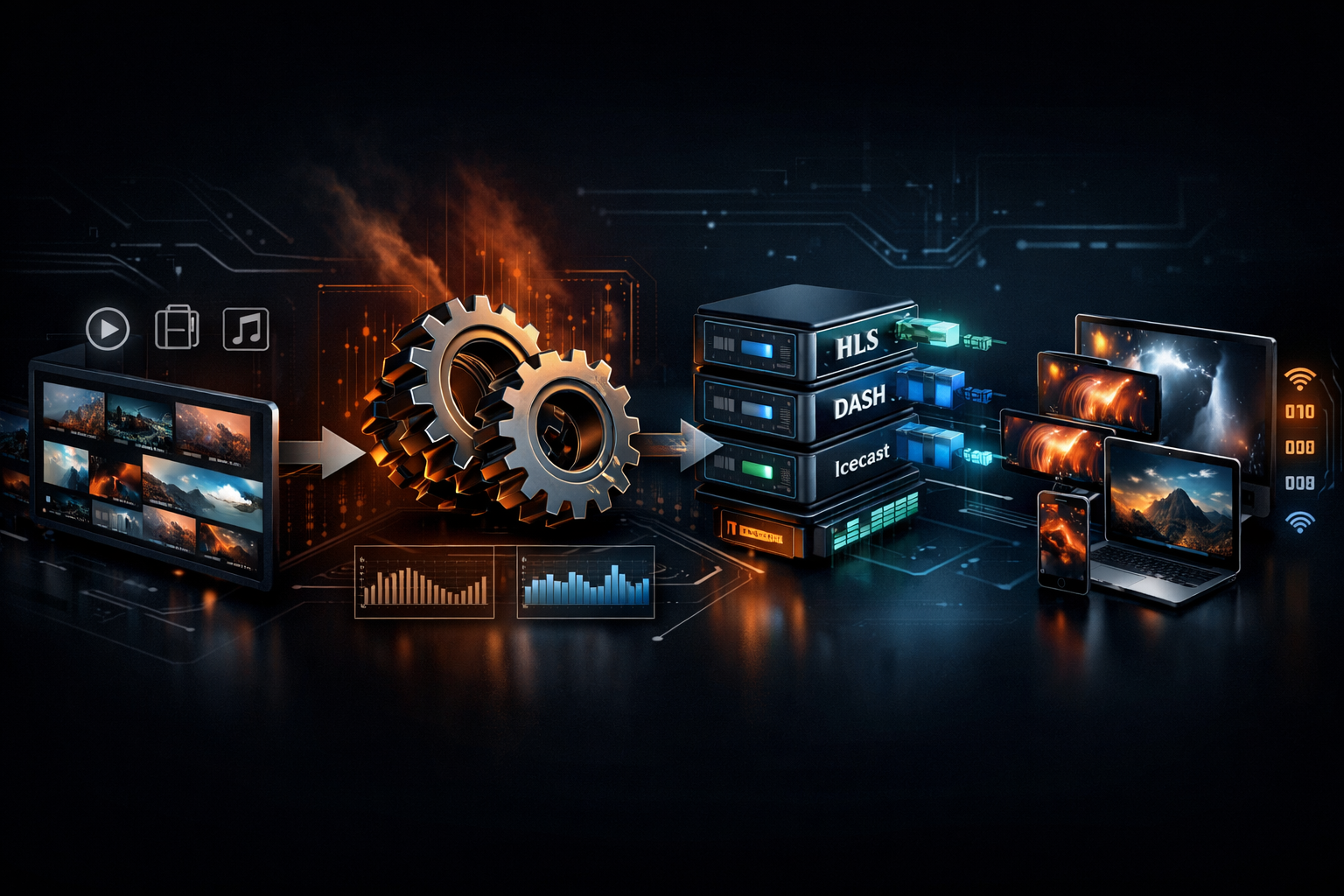
Transcoding vs Transmuxing: What Changes (Codec) vs What Stays (Container) for Live Streaming
If you broadcast radio, podcasts, church services, school events, or live DJ sets, you’ve probably heard people say “just convert it” when a stream won’t play. In live streaming, what you convert matters: sometimes you must change the codec (transcoding), and sometimes you only change the container (transmuxing). Mixing them up leads to extra CPU bills, quality loss, and avoidable latency.
This module explains both workflows in practical terms, connects them to real protocols (HLS/DASH/RTMP), and shows how to choose the most cost-effective path—especially if you want to stream from any device to any device and even do any stream protocols to any stream protocols (RTMP, RTSP, WebRTC, SRT, etc) in a modern distribution stack.
Module Map (Comparison Lesson)
- 1) Definitions: Transcoding vs Transmuxing (Codec vs Container)
- 2) Codecs, Containers, and Protocols: H.264/AAC, MP4/TS, HLS/DASH
- 3) Quality, Latency, CPU, and Cost: What Each Workflow Impacts
- 4) Comparison Table: Use Cases for DJs, Podcasts, and Church Streams
- 5) Workflow Examples: When to Transcode, When to Transmux, When to Do Both
- 6) Practical Picks on Shoutcast Net: Flat-Rate Plans, AutoDJ, and Uptime
Definitions: Transcoding vs Transmuxing (Codec vs Container)
Transcoding means you decode an existing compressed stream and then re-encode it into a new compressed stream. You are changing the codec (and usually bitrate, resolution, profile/level, or audio sample rate). Transcoding is a full compute pipeline: decode → process → encode.
Transmuxing (a.k.a. repackaging) means you keep the exact same compressed audio/video bitstream but place it into a different container format. The codec stays the same; only the wrapper changes. Transmuxing is typically much lighter: parse → repackage → write.
Think of it like “song” vs “album sleeve”
The codec is the “song data” (how it’s compressed). The container is the “album sleeve” (how it’s packaged with timestamps, metadata, and track layout). If a player can’t open the sleeve (container), transmuxing fixes it. If the player can’t understand the song encoding (codec), transcoding fixes it.
What changes in each workflow
- Transcoding changes: codec (e.g., MP3 → AAC), bitrate (128k → 64k), sample rate (48 kHz → 44.1 kHz), channels (stereo → mono), video resolution (1080p → 720p), GOP structure, profiles.
- Transmuxing changes: container (e.g., MP4 → MPEG-TS), segmenting style (CMAF/fMP4 chunks), timestamp/packetization, metadata placement. The compressed frames remain the same.
Quick decision rule
If you can describe the goal as “make it playable everywhere” without changing audio/video quality or codec, you’re likely looking for transmuxing. If you can describe the goal as “make it smaller, compatible, or ABR-capable,” you’re likely looking for transcoding.
Pro Tip
For live broadcasters, transmux first when possible. It’s usually faster, cheaper, and avoids quality loss. Save transcoding for true compatibility needs (e.g., MP3-only source but you need AAC for HLS) or for creating multiple bitrates/resolutions.
Codecs, Containers, and Protocols: H.264/AAC, MP4/TS, HLS/DASH
A lot of confusion comes from mixing three layers: codecs, containers, and protocols. You may transcode at the codec layer, transmux at the container layer, and deliver over a protocol that has its own rules.
Layer 1: Codecs (compression formats)
- Audio: MP3, AAC-LC, HE-AAC (AAC+), Opus
- Video: H.264/AVC, H.265/HEVC, VP9, AV1
Codec choice drives compatibility and efficiency. For example, AAC is widely supported in HLS, while MP3 is universal for legacy radio players. For video, H.264 remains the most compatible for live playback across devices.
Layer 2: Containers (wrappers)
- MP4 (and fMP4/CMAF): common for modern HLS/DASH chunked delivery
- MPEG-TS (.ts): classic HLS segment format; tolerant for broadcast-style streaming
- ADTS: raw-ish framing for AAC audio
- Matroska (.mkv): flexible, common in production; not typical for HLS delivery
Layer 3: Protocols (transport + session rules)
- RTMP: ingest protocol (OBS → server), low overhead, common for live contribution
- HLS: HTTP-based delivery, scalable, widely compatible (especially on mobile)
- MPEG-DASH: similar to HLS, strong ecosystem, used in many players
- WebRTC: ultra-low latency delivery; often used when you need very low latency 3 sec or lower (sometimes sub-second)
- SRT: reliable contribution over messy networks (events, remote guests)
- RTSP: camera feeds, monitoring, some contribution workflows
Where transmuxing happens in real life
A classic example: you ingest RTMP carrying H.264/AAC in an FLV container, but you need HLS output. Your server can transmux by taking the same H.264/AAC elementary streams and repackaging them into TS or fMP4 segments for HLS, without re-encoding.
Ingest (RTMP)                      Output (HLS)
H.264 + AAC in FLV  --transmux-->  H.264 + AAC in TS segments + .m3u8
(codec same)                        (container changes)
Where transcoding is unavoidable
If your input codec is not supported by the target playback path, you must transcode. Example: Opus audio is great, but many HLS paths expect AAC (especially for broad device support). Or you need multi-bitrate ABR ladders (e.g., 1080p/720p/480p).
Ingest (SRT): H.265 + Opus --transcode--> H.264 + AAC --transmux/segment--> HLS/DASHPro Tip
When someone says “convert RTMP to HLS,” ask: do we need a codec change or just a container/protocol change? Many pipelines can keep H.264/AAC and only transmux to HLS, saving CPU and avoiding generation loss.
Quality, Latency, CPU, and Cost: What Each Workflow Impacts
Broadcasters feel transcoding vs transmuxing through four outcomes: quality, latency, CPU/compute, and ultimately cost. Let’s map the impacts so you can pick the simplest workflow that meets the goal.
1) Quality: generation loss vs bit-for-bit
Transcoding introduces re-encoding. Even at high bitrates, it can add artifacts (pre-echo in audio, banding in video, mosquito noise around edges). For spoken-word radio or sermons, the most common harm is high-frequency dulling and pumping from low-bitrate AAC/MP3 re-encodes.
Transmuxing keeps the compressed payload intact. Quality is effectively bit-for-bit pinfo@shoutcastnet.xyz (assuming no timestamp damage). If your source sounds great, transmuxing won’t “damage” it.
2) Latency: encode pipeline vs packaging overhead
Transcoding latency comes from encoder lookahead, GOP structure, and rate control. Video encoders often add buffering; audio encoders add frame delay. If you also create ABR ladders, you multiply encoding work.
Transmuxing latency is mostly about how you segment and publish. For HLS, segment duration (e.g., 6s) and playlist window drive end-to-end delay. You can reach very low latency 3 sec only with tuned Low-Latency HLS (LL-HLS), chunked CMAF, or WebRTC-style delivery—typically more than “just transmux” in real deployments, but transmuxing itself is not the bottleneck.
3) CPU and complexity
- Transcoding: CPU/GPU heavy, scaling cost rises with number of outputs (bitrates, resolutions, codecs). More moving parts: encoder presets, profiles, loudness, keyframe alignment.
- Transmuxing: relatively light, scales better, fewer quality decisions, simpler to troubleshoot.
4) Cost: the “billing model” matters
Many platforms charge based on compute time, hours streamed, and/or per-viewer delivery. This is where broadcasters get surprised—especially on legacy stacks where turning on “transcoding” silently turns on a meter. A well-known example is Wowza-style expensive per-hour/per-viewer billing, where transcoding and packaging features can move you from a predictable budget to variable monthly spikes.
By contrast, Shoutcast Net is designed to keep your monthly cost predictable: flat-rate unlimited model with plans starting at $4/month, plus a 7-day free trial (7 days trial) so you can validate your workflow before committing. For radio and audio-first streaming, this matters because you often stream 24/7.
Latency expectations by use case (audio + video)
- Internet radio / AutoDJ: 10–30s is normal; stability beats interactivity.
- Church services: 10–25s HLS is fine for most; “watch party” chat can tolerate it.
- Live events with audience interaction: aim for very low latency 3 sec using LL-HLS tuned pipelines or WebRTC.
Pro Tip
If your stream already uses a widely supported codec (AAC for audio, H.264 for video), start by transmuxing into the delivery format you need. You’ll preserve quality, reduce CPU, and avoid the “why did it suddenly sound worse?” problem.
Comparison Table: Use Cases for DJs, Podcasts, and Church Streams
Use this table to pick the lightest workflow that meets your audience’s playback needs. “Competitors” here means common workflow options and infrastructure approaches you’ll see in the market (including traditional metered streaming platforms).
| Option / Platform Approach | Best For | Transcoding Needed? | Transmuxing Needed? | Typical Pros | Typical Cons |
|---|---|---|---|---|---|
| Shoutcast Net (flat-rate hosting) | 24/7 radio, DJs, school stations, podcasts, churches wanting predictable cost | Only if you must change codec/bitrate | Optional (depending on output formats) | $4/month starting price, unlimited listeners, 99.9% uptime, SSL streaming, AutoDJ, easy scaling, stable for always-on streaming | Codec strategy still matters; you must choose compatible formats for your audience devices |
| Wowza-style metered compute + delivery | Enterprises with variable events and a budget for per-usage billing | Common (ABR ladders, multi-device) | Common (HLS/DASH packaging) | Feature-rich knobs (ABR, packaging, DRM add-ons in some stacks) | Expensive per-hour/per-viewer billing, cost spikes, can feel overbuilt for radio/church 24/7 use |
| Legacy SHOUTcast-only mindset (single-format) | Old-school players and minimal setups | Rare | Rare | Simple, works for classic MP3 radio clients | Legacy Shoutcast limitations: fewer modern workflow options, harder to bridge into newer delivery expectations without additional tooling |
| Icecast (DIY / self-managed) | Tech-savvy operators who want full control | Depends on compatibility needs | Depends on outputs | Flexible, open ecosystem | You manage scaling, patching, monitoring; delivery/uptime is on you unless hosted (see icecast) |
| Cloud “Live Transcoder” services (ABR-first) | Video-heavy events, multiple renditions required | Yes (core feature) | Yes (HLS/DASH packaging) | Fast to get ABR, presets available | Higher compute cost, complexity, re-encode quality loss if source is already compressed |
| On-prem FFmpeg pipeline (DIY) | Advanced users, campus studios, churches with AV teams | Optional | Optional | Total control, can script anything | Ops burden (failover, monitoring), hardware sizing, updates; risk of outages during live services |
Bottom line for most audio-first broadcasters: if your goal is reliable delivery with predictable monthly spend, choose a hosting model that doesn’t punish you for being live all day. Shoutcast Net’s flat-rate unlimited model is generally a better fit than metered per-hour/per-viewer stacks when you run continuous radio, scheduled shows, or AutoDJ rotation.
Pro Tip
If you’re comparing providers, ask two questions: (1) “Do you bill per listener or per GB?” and (2) “Does enabling transcoding trigger additional hourly compute?” Flat-rate audio hosting avoids the surprise bills common in metered systems.
Workflow Examples: When to Transcode, When to Transmux, When to Do Both
Below are practical pipelines for DJs, podcasters, school radio, churches, and live event streamers. Each example includes what’s changing (codec vs container) so you can troubleshoot faster.
Example A: DJ broadcast that must play on everything (audio-only)
Goal: stable audio stream that works on phones, desktops, smart speakers, and car systems—classic “radio compatibility.”
- Preferred strategy: encode once to a broadly supported codec (MP3 or AAC), then distribute without re-encoding.
- Transcoding? Only if the source codec is not what you need (e.g., WAV input is fine—encoding once is expected; but avoid re-encoding already-compressed sources repeatedly).
- Transmuxing? Usually not required for classic SHOUTcast-style audio streams, but can appear when bridging to other delivery formats.
# One-time encode (not “transcoding” from a compressed source; it’s initial encoding)
# Example: PCM/WAV input -> AAC output stream
ffmpeg -re -i input.wav -c:a aac -b:a 128k -ar 44100 -ac 2 -f adts udp://HOST:PORT
Example B: Podcast live-to-archive (save bandwidth without wrecking voices)
Goal: live show plus clean recording for later. Live listeners want stability; archive listeners want quality.
- Live: 64–128 kbps AAC/MP3 (depending on audience).
- Archive: record locally in WAV/FLAC, then encode to AAC/MP3 once for distribution.
- Key concept: avoid “double lossy”—don’t transcode MP3→AAC for the archive; start from the lossless recording.
Live path: Mic mixer -> Encoder -> Stream server (compressed once)
Archive path: Mixer -> Local recorder (WAV) -> Post encode (AAC/MP3)
Example C: Church stream to phones + smart TVs (video)
Goal: one camera/OBS feed ingested via RTMP, delivered to a wide range of devices (mobile + TV apps). Often you’ll also Restream to Facebook, Twitch, YouTube.
Best practice: encode H.264 + AAC once (OBS), then transmux to HLS for scale. If you need multiple renditions (ABR), then you transcode into a ladder.
OBS (H.264/AAC) --RTMP--> Origin
Origin --transmux--> HLS (TS or fMP4) for viewers
Optional: Origin --transcode--> 1080p/720p/480p ladder --package--> HLS/DASH
Example D: “Any protocol to any protocol” bridge for events
Goal: accept a remote feed from a venue and publish to multiple destinations. This is the real-world meaning of any stream protocols to any stream protocols (RTMP, RTSP, WebRTC, SRT, etc): you may ingest SRT from a bonded cellular encoder, preview via RTSP, publish RTMP to platforms, and deliver WebRTC to a backstage monitor.
- Transmuxing often handles protocol packaging differences (e.g., FLV vs TS vs fMP4).
- Transcoding kicks in when the venue sends HEVC but your target requires H.264, or when you need an ABR ladder.
SRT ingest (H.264/AAC) --transmux--> RTMP out (for platforms)
                         --transmux/segment--> HLS out (for web)
                         --optional--> WebRTC out (for very low latency 3 sec monitoring)
Example E: When you must do both (common ABR scenario)
Scenario: you ingest a single 1080p RTMP feed and need ABR for viewers on different connections.
- Step 1 (transcode): create multiple versions (1080p/720p/480p) with aligned keyframes.
- Step 2 (transmux/package): package outputs into HLS (and/or DASH) segments and playlists.
Pro Tip
Before you enable an ABR ladder, validate that a single well-chosen encode (H.264/AAC at a sane bitrate) plus good delivery can already meet your audience needs. For many churches and school events, this avoids heavy transcoding and keeps operations simple.
Practical Picks on Shoutcast Net: Flat-Rate Plans, AutoDJ, and Uptime
At Shoutcast Net, most broadcasters are optimizing for reliability and predictable spend: 24/7 internet radio, scheduled DJ sets, podcast networks, campus stations, and churches that can’t risk dropouts during a service. That’s where practical workflow choices (transcode vs transmux) intersect with hosting design.
Pick the simplest pipeline that meets compatibility
If your audience is primarily audio listeners, you can often avoid heavy compute entirely: choose a single codec/bitrate that covers your device landscape, and keep it stable. If you need multiple formats, do it intentionally (e.g., one MP3 for legacy and one AAC for modern), not by accident through repeated transcoding.
Why Shoutcast Net is a better fit than metered stacks for always-on streaming
- Flat-rate unlimited model: predictable monthly spend versus Wowza’s expensive per-hour/per-viewer billing.
- $4/month starting price to get on-air without enterprise overhead (see plans).
- 7-day free trial so you can test your encoder settings and player compatibility (7 days trial).
- 99.9% uptime focus for stations that can’t miss shows.
- SSL streaming to avoid “mixed content” browser blocking and to keep modern players happy.
- Unlimited listeners for growth (no panic when a link goes viral).
AutoDJ: when “transcoding vs transmuxing” becomes a scheduling advantage
AutoDJ is especially valuable for stations and churches that want continuity. When your live DJ disconnects or your encoder crashes, AutoDJ can keep the stream alive with scheduled content—reducing the operational risk that often pushes people toward expensive “all-in-one” metered platforms.
Learn more about AutoDJ and how it supports 24/7 programming even when you’re not live.
Modern distribution goals: “stream from any device to any device”
The practical meaning of stream from any device to any device is: pick codecs that decode everywhere, and only introduce transcoding when you’re forced to. If you’re building a bigger stack (events, venues, remote guests), you can bridge any stream protocols to any stream protocols (RTMP, RTSP, WebRTC, SRT, etc)—but you still want to avoid unnecessary re-encoding in the middle.
Quick recommendations by audience type
- Radio DJs / school stations: keep it simple, stable, and always-on; avoid double-encoding; use AutoDJ as a safety net.
- Podcasters: prioritize clean audio capture; encode once for live; export from lossless for archives.
- Churches: if you need interactive engagement, plan for very low latency 3 sec workflows; otherwise prioritize reliability and device compatibility.
- Live event streamers: use SRT for contribution, transmux for packaging, and transcode only for ABR or codec mismatches; then Restream to Facebook, Twitch, YouTube as needed.
If you’re migrating away from old “single-format only” thinking, you don’t need to accept legacy Shoutcast limitations or jump to metered enterprise billing. You can modernize your workflow while keeping predictable costs through Shoutcast Net’s hosting and tooling.
Pro Tip
When you troubleshoot playback, identify the layer first: codec issue (needs transcoding) vs container/protocol issue (needs transmuxing). This one habit prevents most “we re-encoded everything and it still doesn’t play” disasters—and keeps your hosting costs predictable.